> ## Documentation Index
> Fetch the complete documentation index at: https://docs.chatzy.ai/llms.txt
> Use this file to discover all available pages before exploring further.
# Playground
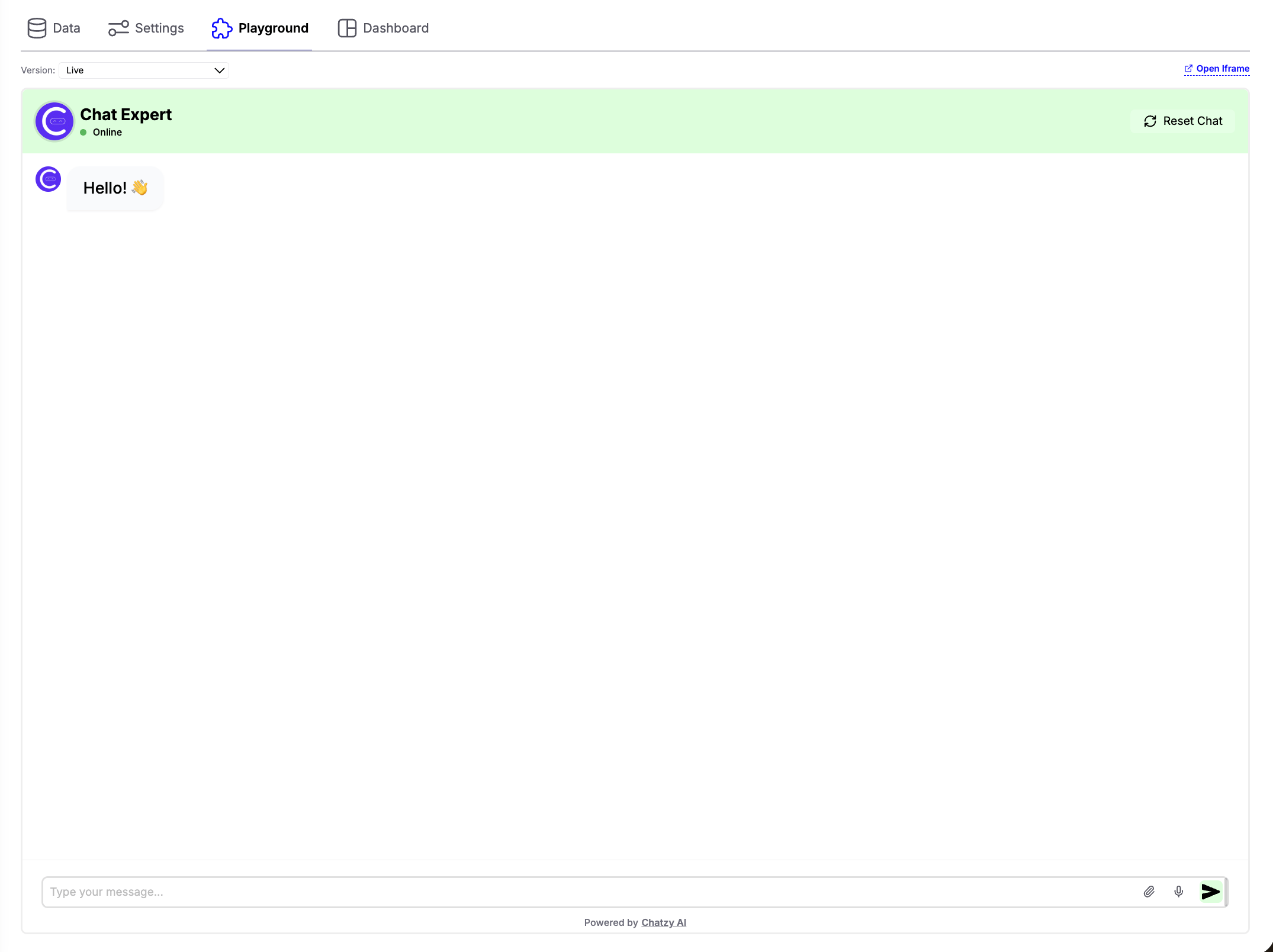 The **Playground** lets you test and validate your AI agent before publishing it to production. It provides a safe environment to verify prompts, responses, tools, and configurations in real time.
***
## Version Selection
The **Version** dropdown allows you to choose which version of your AI agent you want to test.
You can switch between:
* **Live** – Tests the currently published version of your AI agent.
* **Draft Versions** – Tests any saved draft without affecting the live experience.
This makes it easy to compare changes, validate new prompts, and experiment with configurations before publishing them.
***
## Features
* **Test Conversations**\
Simulate real user interactions and verify how your AI agent responds.
* **Version Testing**\
Instantly switch between the Live version and any saved Draft to compare behavior.
* **Reset Chat**\
Clear the current conversation and start a fresh test session at any time.
* **Open Iframe**\
Launch the chatbot in a separate browser window to test the embedded widget experience.
> **Tip:** You can share the generated iframe link with your team or clients, allowing them to test the AI agent without requiring access to your Chatzy workspace.
* **File & Voice Testing**\
Test file uploads and voice input if these capabilities are enabled in the Chat Widget settings.
***
> **Tip:** Always test new drafts in the Playground before publishing them. This helps verify prompts, integrations, tools, and overall conversation flow without impacting your live users.
The **Playground** lets you test and validate your AI agent before publishing it to production. It provides a safe environment to verify prompts, responses, tools, and configurations in real time.
***
## Version Selection
The **Version** dropdown allows you to choose which version of your AI agent you want to test.
You can switch between:
* **Live** – Tests the currently published version of your AI agent.
* **Draft Versions** – Tests any saved draft without affecting the live experience.
This makes it easy to compare changes, validate new prompts, and experiment with configurations before publishing them.
***
## Features
* **Test Conversations**\
Simulate real user interactions and verify how your AI agent responds.
* **Version Testing**\
Instantly switch between the Live version and any saved Draft to compare behavior.
* **Reset Chat**\
Clear the current conversation and start a fresh test session at any time.
* **Open Iframe**\
Launch the chatbot in a separate browser window to test the embedded widget experience.
> **Tip:** You can share the generated iframe link with your team or clients, allowing them to test the AI agent without requiring access to your Chatzy workspace.
* **File & Voice Testing**\
Test file uploads and voice input if these capabilities are enabled in the Chat Widget settings.
***
> **Tip:** Always test new drafts in the Playground before publishing them. This helps verify prompts, integrations, tools, and overall conversation flow without impacting your live users.