> ## Documentation Index
> Fetch the complete documentation index at: https://docs.chatzy.ai/llms.txt
> Use this file to discover all available pages before exploring further.
# Utilities
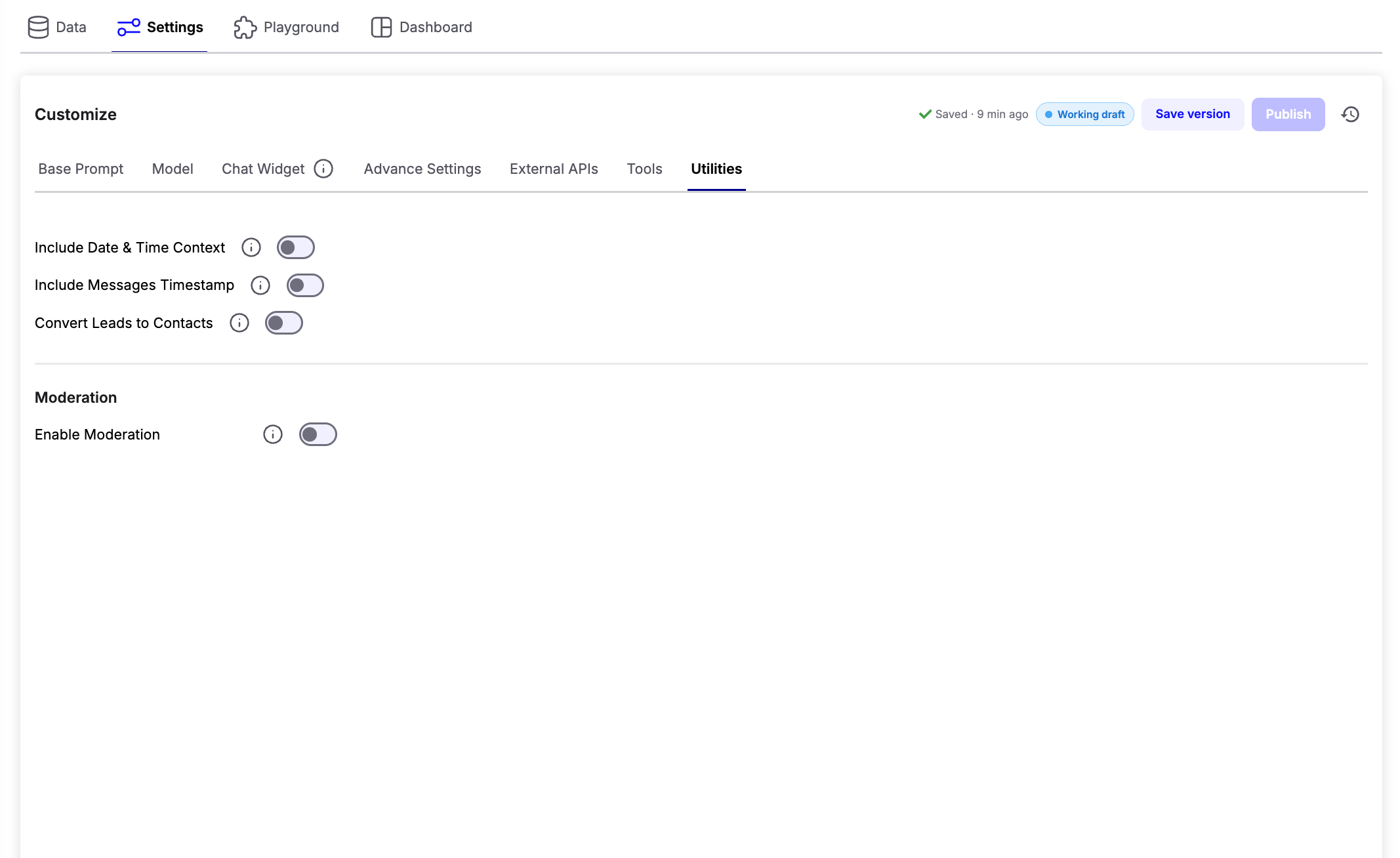
The **Utilities** tab provides additional capabilities that enhance your AI agent beyond its core conversational abilities. These features help the agent understand time-sensitive queries, manage leads automatically, and keep conversations safe through built-in moderation.
 ***
## AI Utilities
### Include Date & Time Context
Allows the AI agent to access the current date and time, enabling it to answer and process time-based requests accurately.
**Example use cases:**
* "Book my appointment for tomorrow."
* "What time is it now?"
* "How many days are left until Friday?"
***
### Include Messages Timestamp
Adds timestamps to messages stored in the conversation history, helping the AI understand references to earlier parts of the conversation.
**Example use cases:**
* "What did I ask you five minutes ago?"
* "Continue from where we stopped yesterday."
***
### Convert Leads to Contacts
Automatically converts qualified leads into contacts, reducing manual work and streamlining your CRM workflow.
> **Note:** This feature requires **Lead Notifications** to be configured and enabled.
***
## Moderation
The **Moderation** section helps protect your AI agent by detecting harmful, abusive, or malicious user inputs before they are processed.
### Enable Moderation
Turn on **Enable Moderation** to activate message filtering for all incoming conversations.
Once enabled, additional moderation settings become available.
### Moderation Provider
Choose the moderation service that should analyze incoming messages.
* **Chatzy AI** - Built-in moderation for detecting common unsafe or unwanted content.
* **Lakera AI** - Advanced AI security focused on prompt injection attacks, jailbreak attempts, malicious prompts, and other LLM-specific threats.
### Define Intents
Select the types of content you want to detect.
Examples include:
* Hate speech
* Harassment
* Spam
* Policy violations
* Prompt injection attempts
* Malicious prompts
### Action to be Taken
Choose what should happen when a moderation rule is triggered.
Available actions:
* **Blacklist** - Permanently block the user from interacting with the AI agent.
* **Freeze** - Temporarily prevent the user from continuing the conversation for a specified duration.
***
***
## AI Utilities
### Include Date & Time Context
Allows the AI agent to access the current date and time, enabling it to answer and process time-based requests accurately.
**Example use cases:**
* "Book my appointment for tomorrow."
* "What time is it now?"
* "How many days are left until Friday?"
***
### Include Messages Timestamp
Adds timestamps to messages stored in the conversation history, helping the AI understand references to earlier parts of the conversation.
**Example use cases:**
* "What did I ask you five minutes ago?"
* "Continue from where we stopped yesterday."
***
### Convert Leads to Contacts
Automatically converts qualified leads into contacts, reducing manual work and streamlining your CRM workflow.
> **Note:** This feature requires **Lead Notifications** to be configured and enabled.
***
## Moderation
The **Moderation** section helps protect your AI agent by detecting harmful, abusive, or malicious user inputs before they are processed.
### Enable Moderation
Turn on **Enable Moderation** to activate message filtering for all incoming conversations.
Once enabled, additional moderation settings become available.
### Moderation Provider
Choose the moderation service that should analyze incoming messages.
* **Chatzy AI** - Built-in moderation for detecting common unsafe or unwanted content.
* **Lakera AI** - Advanced AI security focused on prompt injection attacks, jailbreak attempts, malicious prompts, and other LLM-specific threats.
### Define Intents
Select the types of content you want to detect.
Examples include:
* Hate speech
* Harassment
* Spam
* Policy violations
* Prompt injection attempts
* Malicious prompts
### Action to be Taken
Choose what should happen when a moderation rule is triggered.
Available actions:
* **Blacklist** - Permanently block the user from interacting with the AI agent.
* **Freeze** - Temporarily prevent the user from continuing the conversation for a specified duration.
***