> ## Documentation Index
> Fetch the complete documentation index at: https://docs.chatzy.ai/llms.txt
> Use this file to discover all available pages before exploring further.
# Creating An Agent
Once you chose your right agent from [Choosing the right agent](https://docs.chatzy.ai/ai-agents/choosing-the-right-agent), head over to [Chatzy AI - AI Agent](https://app.chatzy.ai/templates?tab=all-agents).
You’ll find three ways to create your agent:
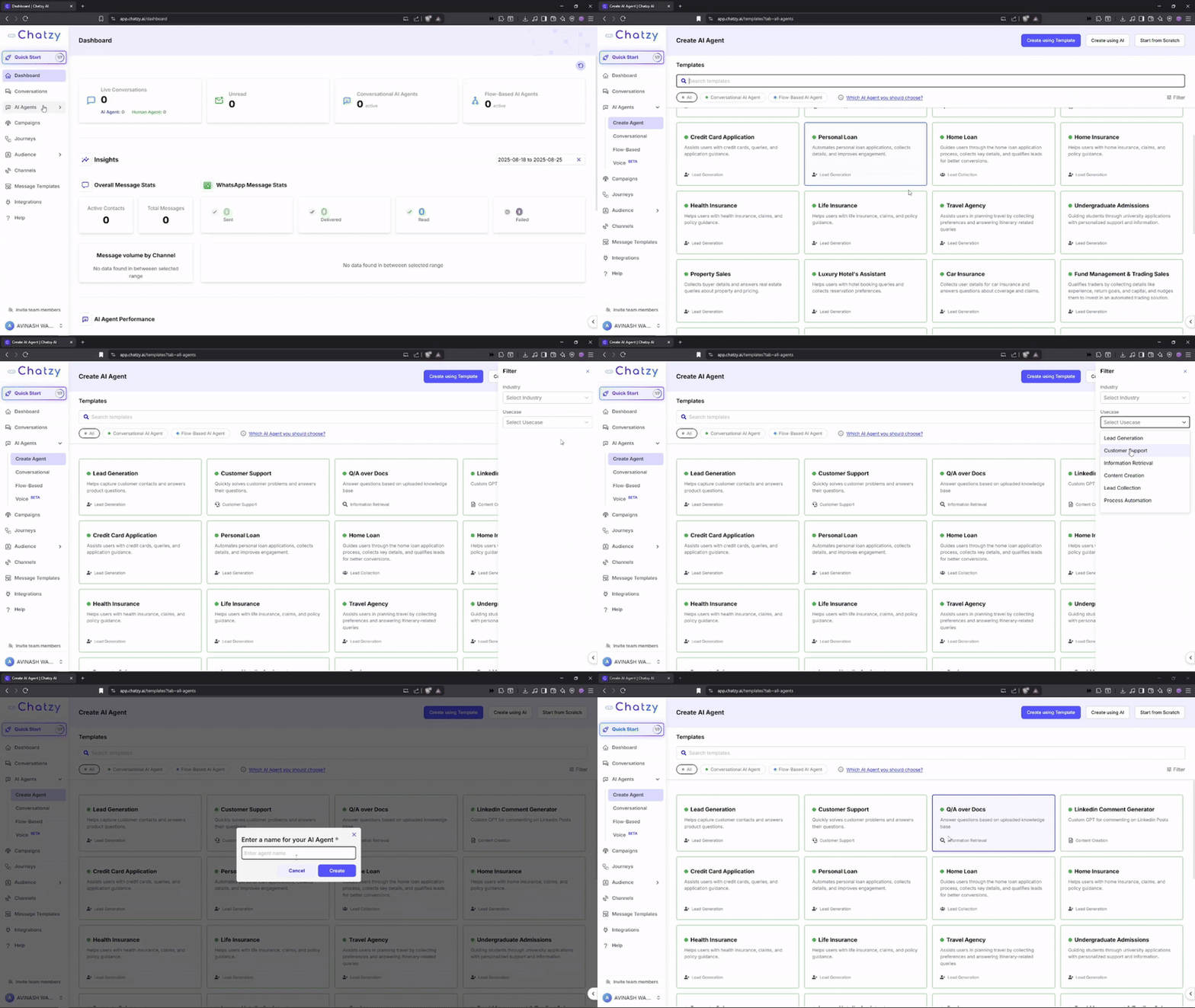
* **Use a Template**\
Browse ready-to-use templates for sales, support, lead capture, onboarding, and more.
 ***
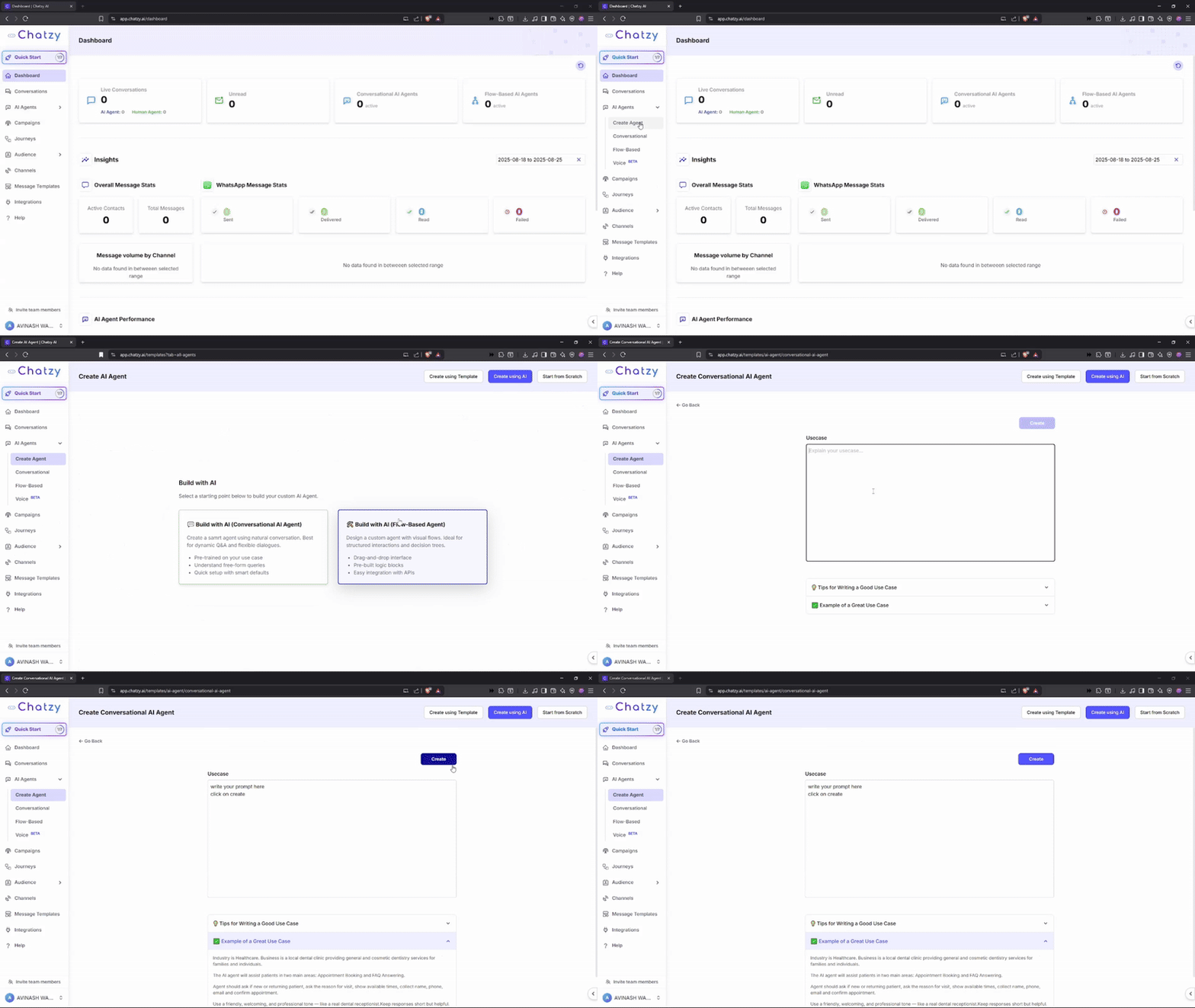
* **Create Using AI**\
Simply describe your use case or upload content, and Chatzy will generate a starting agent for you.
***
* **Create Using AI**\
Simply describe your use case or upload content, and Chatzy will generate a starting agent for you.
 ***
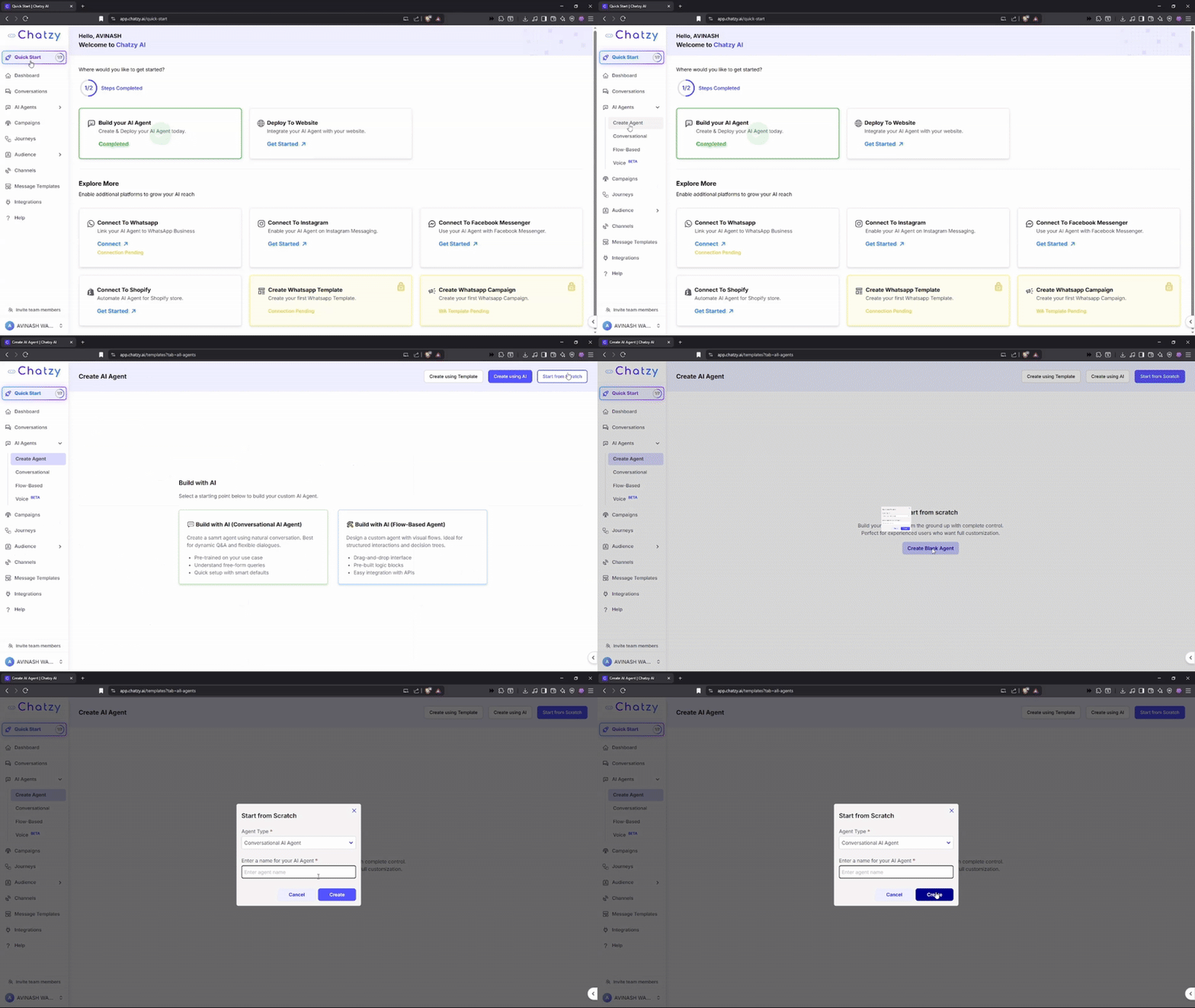
* **Start from Scratch**\
Build your agent flow step by step with the no-code builder.
***
* **Start from Scratch**\
Build your agent flow step by step with the no-code builder.
 ***
### Next Steps
* **Add Data and Train**\
Upload your documents, FAQs, or knowledge bases to provide context and knowledge to your AI Agent.
* **Configure Prompt and Settings**\
Fine-tune the system prompt, tone, and model settings to align with your brand and goals.
* **Test your Agent**\
Simulate real conversations in the Playground to see how your AI responds before going live.
* **Add Tool Calls**\
Connect with CRMs, ERPs, or third-party tools to extend your AI Agent’s capabilities.
> With Chatzy’s no-code builder and AI-powered creation, building and deploying an agent is fast, flexible, and scalable.
***
### Next Steps
* **Add Data and Train**\
Upload your documents, FAQs, or knowledge bases to provide context and knowledge to your AI Agent.
* **Configure Prompt and Settings**\
Fine-tune the system prompt, tone, and model settings to align with your brand and goals.
* **Test your Agent**\
Simulate real conversations in the Playground to see how your AI responds before going live.
* **Add Tool Calls**\
Connect with CRMs, ERPs, or third-party tools to extend your AI Agent’s capabilities.
> With Chatzy’s no-code builder and AI-powered creation, building and deploying an agent is fast, flexible, and scalable.