> ## Documentation Index
> Fetch the complete documentation index at: https://docs.chatzy.ai/llms.txt
> Use this file to discover all available pages before exploring further.
# Chat logs
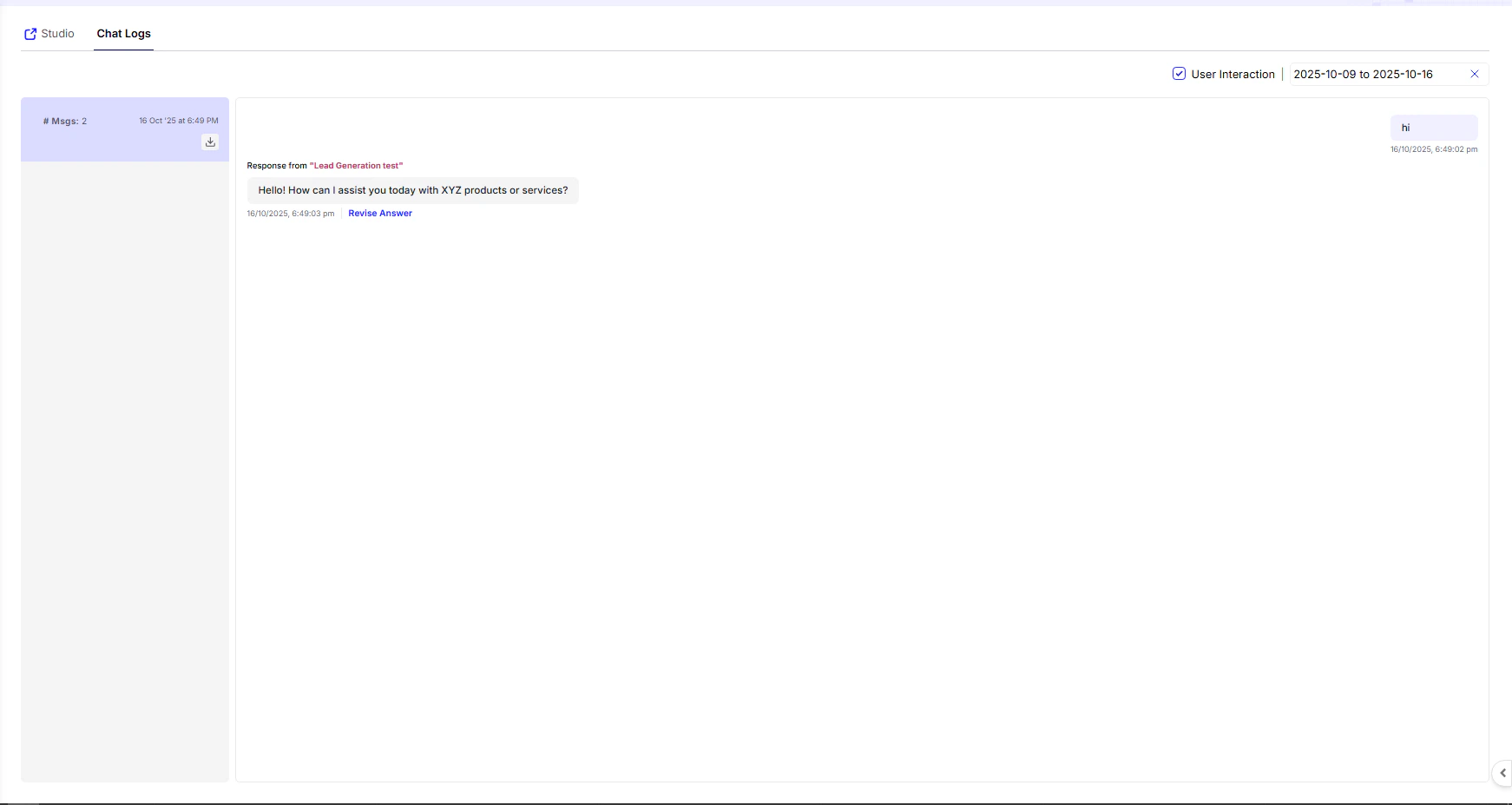
The **Chat Logs** section gives you a transparent, in-depth view of every user–agent interaction that takes place within your Squad. It’s designed to help you analyze conversations, track performance, and continuously improve agent behavior.
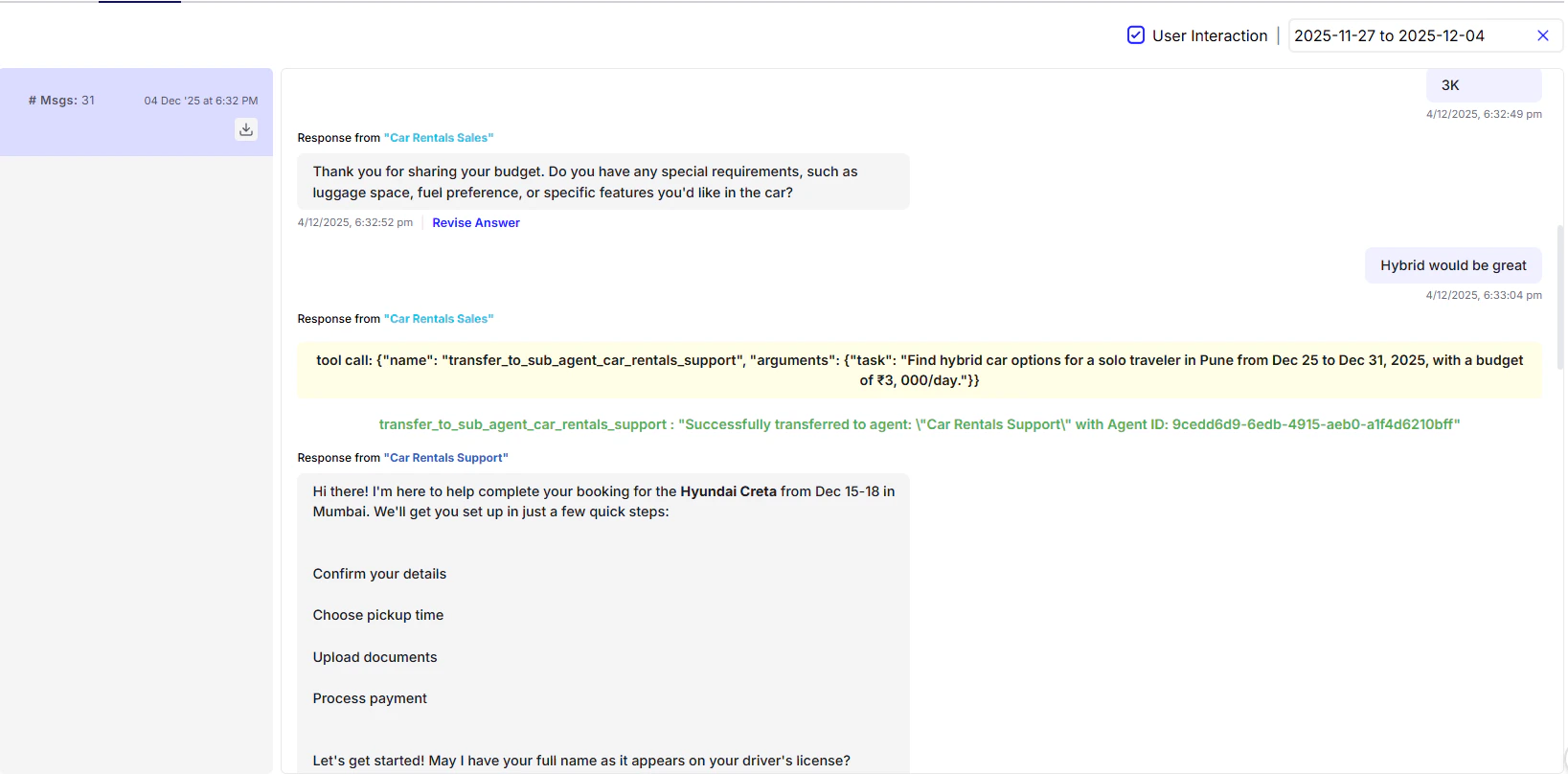
 This is how an actual transfer between AI agents looks. It works like a tool-call action, and you can clearly see which AI agent generated each message:
 ***
#### **What You Can Do**
* **Review complete conversations** — See how users interact with your agents in real time, including every message exchanged.
* **Identify active agents** — Instantly know which agent handled each response for better accountability and team coordination.
* **Revise or improve responses** — Use the **Revise Answer** feature to correct or enhance replies, improving future AI accuracy.
* **Filter intelligently** — Narrow results by **date range**, **user**, or **interaction type** for focused conversation analysis.
***
> 💡 **Tip:** Regularly reviewing and revising agent responses helps your system learn faster and perform more naturally over time.
***
#### **What You Can Do**
* **Review complete conversations** — See how users interact with your agents in real time, including every message exchanged.
* **Identify active agents** — Instantly know which agent handled each response for better accountability and team coordination.
* **Revise or improve responses** — Use the **Revise Answer** feature to correct or enhance replies, improving future AI accuracy.
* **Filter intelligently** — Narrow results by **date range**, **user**, or **interaction type** for focused conversation analysis.
***
> 💡 **Tip:** Regularly reviewing and revising agent responses helps your system learn faster and perform more naturally over time.