> ## Documentation Index
> Fetch the complete documentation index at: https://docs.chatzy.ai/llms.txt
> Use this file to discover all available pages before exploring further.
# Overview
### What Are Squads?
A **Squad** is a team of multiple Conversational AI Agents that work together to handle complex workflows and multi-step processes.\
Instead of relying on a single generalist agent, a Squad divides tasks among specialized agents each with its own role, expertise, and knowledge base, ensuring faster, more accurate, and scalable automation.
### Best For
* Multi-stage customer workflows (lead → booking → support)
* Departmental automation (sales, support, operations)
* Escalation and handoff between specialized agents
* AI-driven collaboration for context-rich conversations
### Key Strengths
* **Collaborative Intelligence:** Multiple agents coordinate to complete end-to-end workflows.
* **Role-Based Specialization:** Each agent focuses on a defined domain - e.g., Lead Qualification, Booking, Support.
* **Shared conversation history:** When the conversation is getting transfered between persitent agents, they share the conversation history.
***
If your workflow is large and involves multiple API calls, there’s a good chance users may ask questions that fall outside the responsibility of the current agent. In such cases, **Squad** is an ideal solution.
For example, imagine you run a car-rental business with an AI **Sales** agent that handles pricing, introductions, and general sales queries, and a separate **Service** agent that manages billing and onboarding. If, during onboarding, the user suddenly asks to change the car, the conversation needs to be handed back to the Sales agent. **Squad automatically manages this kind of agent handoff**, ensuring the user is always routed to the right agent without manual intervention.
### Squad Architectures
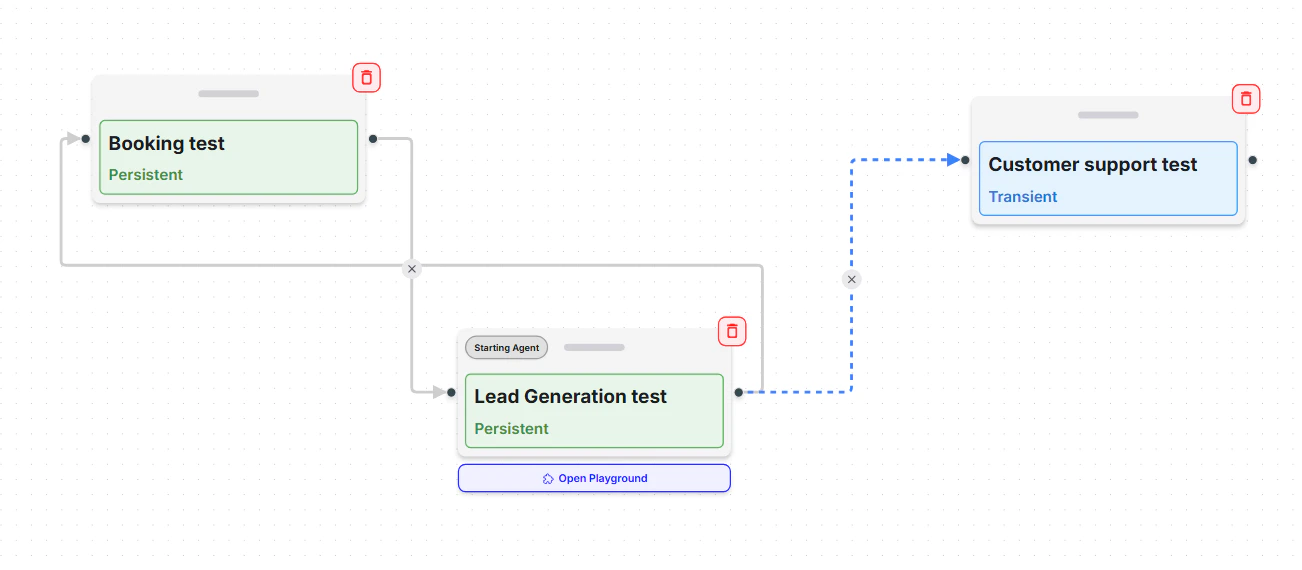
You can choose from the following multi-agent architectures, depending on your use case and workflow design
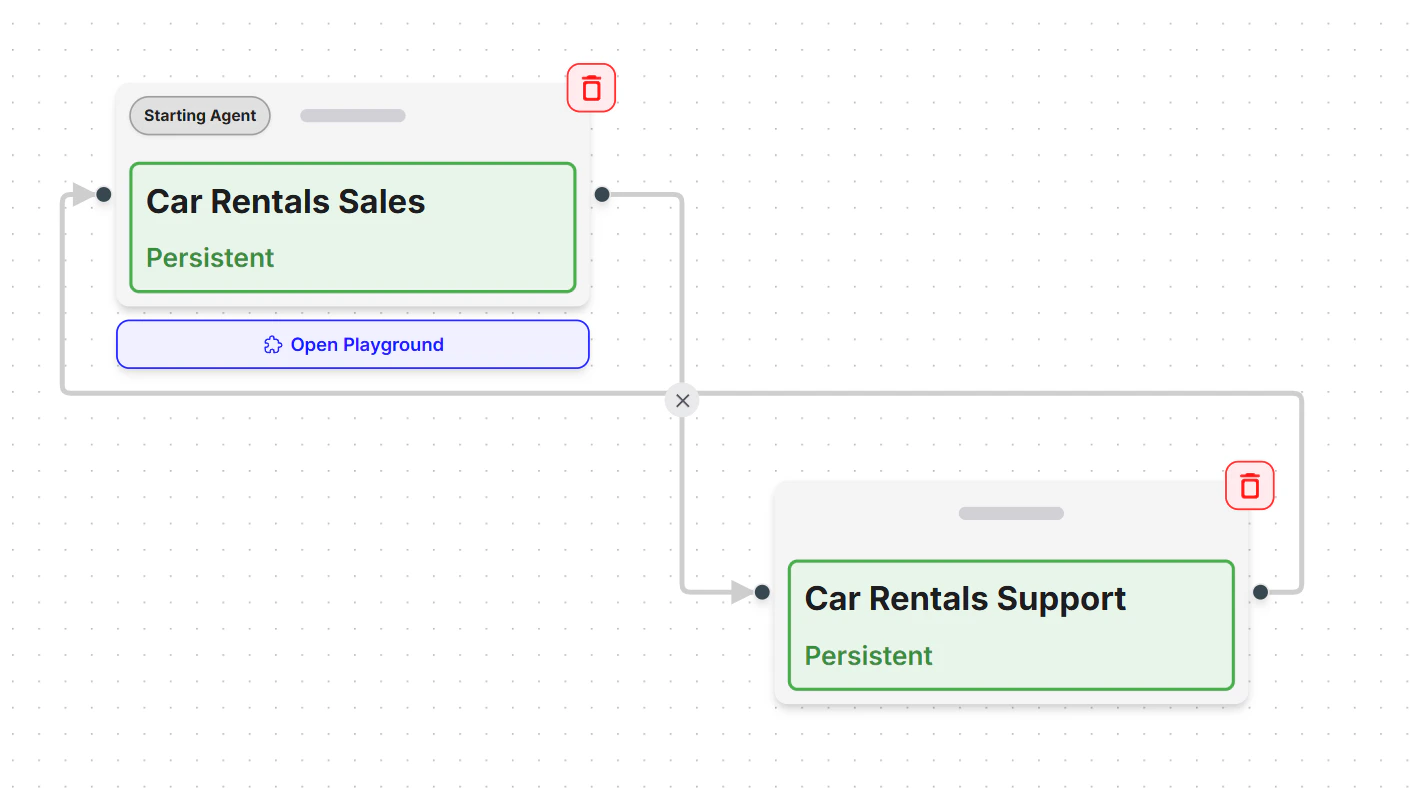
**Network**
 ***
**Supervisor**
***
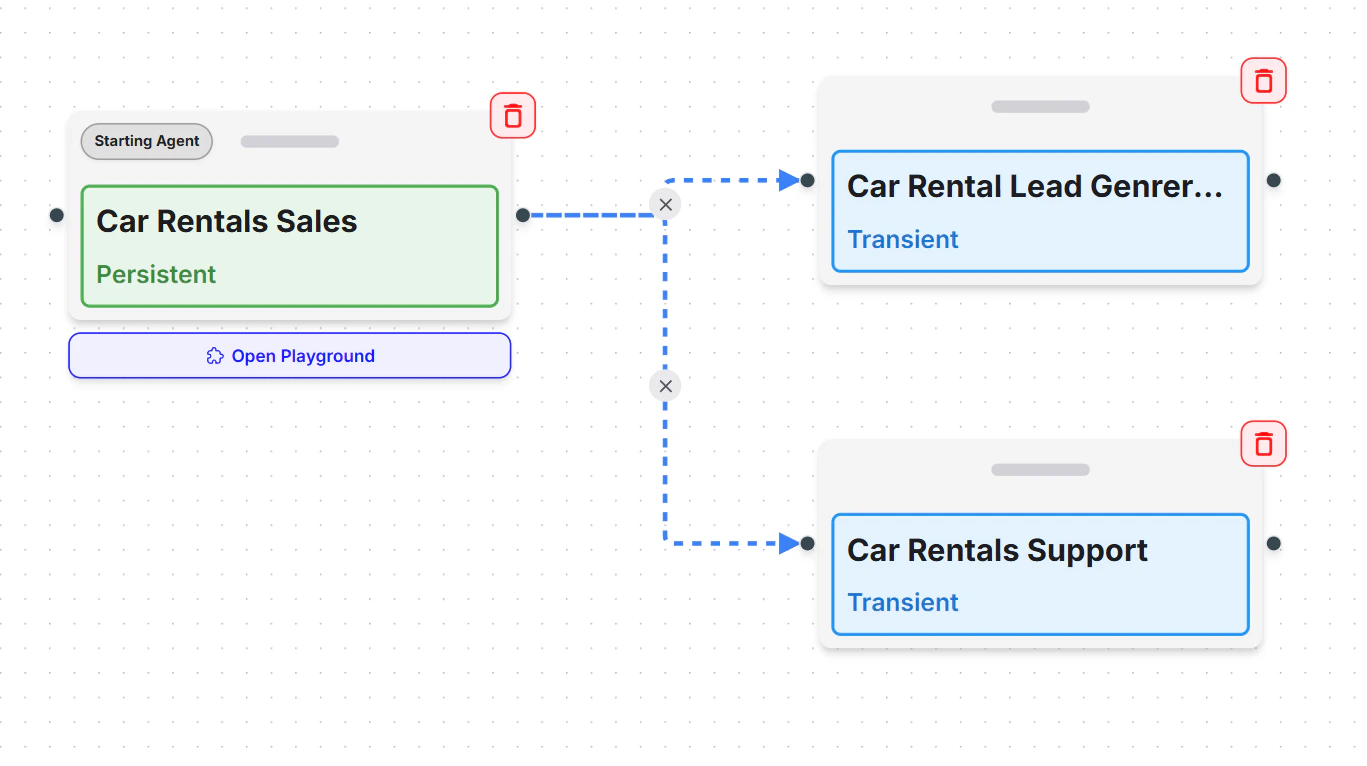
**Supervisor**
 ***
**Custom**
***
**Custom**
 | **Architecture** | **Description** |
| ---------------- | --------------------------------------------------------------------------------------------------------------- |
| **Network** | All agents communicate freely with each other, ideal for collaborative brainstorming or multi-domain reasoning. |
| **Supervisor** | A central controller agent assigns tasks to others and consolidates results, ensuring structured flow. |
| **Custom** | Build your own connection graph between agents to match unique process logic and data flow. |
***
Build your first Squad and enable collaborative AI workflows.
***
Before creating the Squad, you must properly configure all the required Conversational AI agents and clearly specify in their prompts the conditions under which a conversation should be transferred from one agent to another. For example:
| **Architecture** | **Description** |
| ---------------- | --------------------------------------------------------------------------------------------------------------- |
| **Network** | All agents communicate freely with each other, ideal for collaborative brainstorming or multi-domain reasoning. |
| **Supervisor** | A central controller agent assigns tasks to others and consolidates results, ensuring structured flow. |
| **Custom** | Build your own connection graph between agents to match unique process logic and data flow. |
***
Build your first Squad and enable collaborative AI workflows.
***
Before creating the Squad, you must properly configure all the required Conversational AI agents and clearly specify in their prompts the conditions under which a conversation should be transferred from one agent to another. For example:
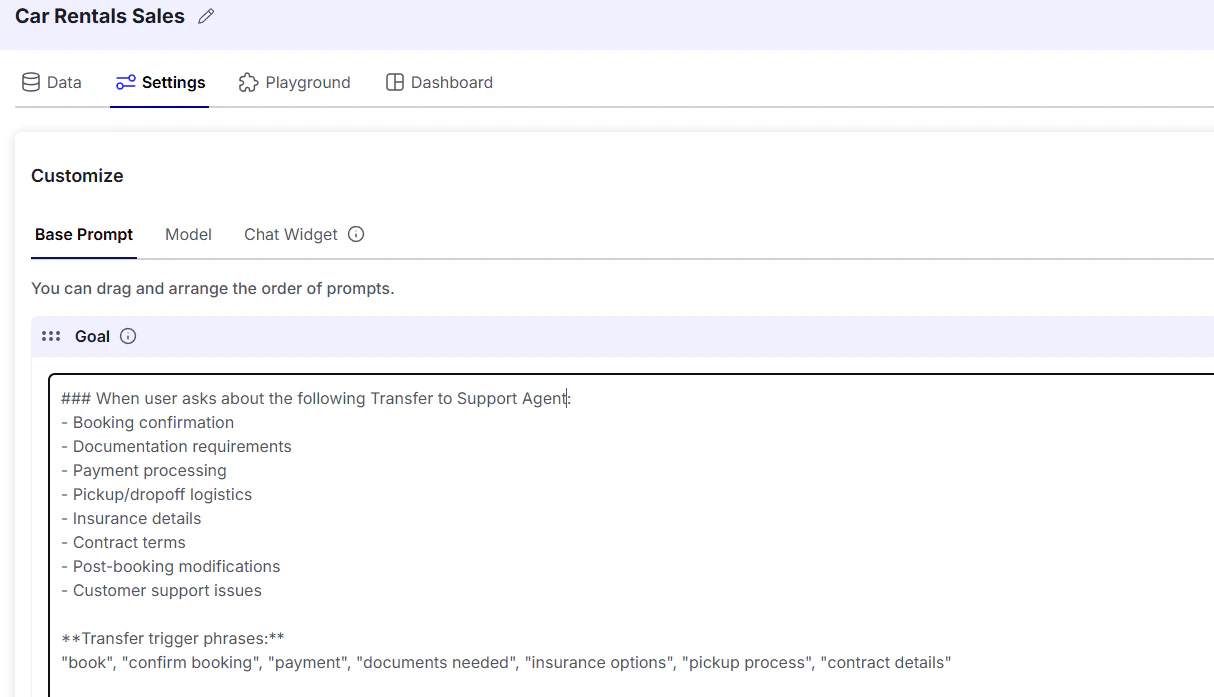
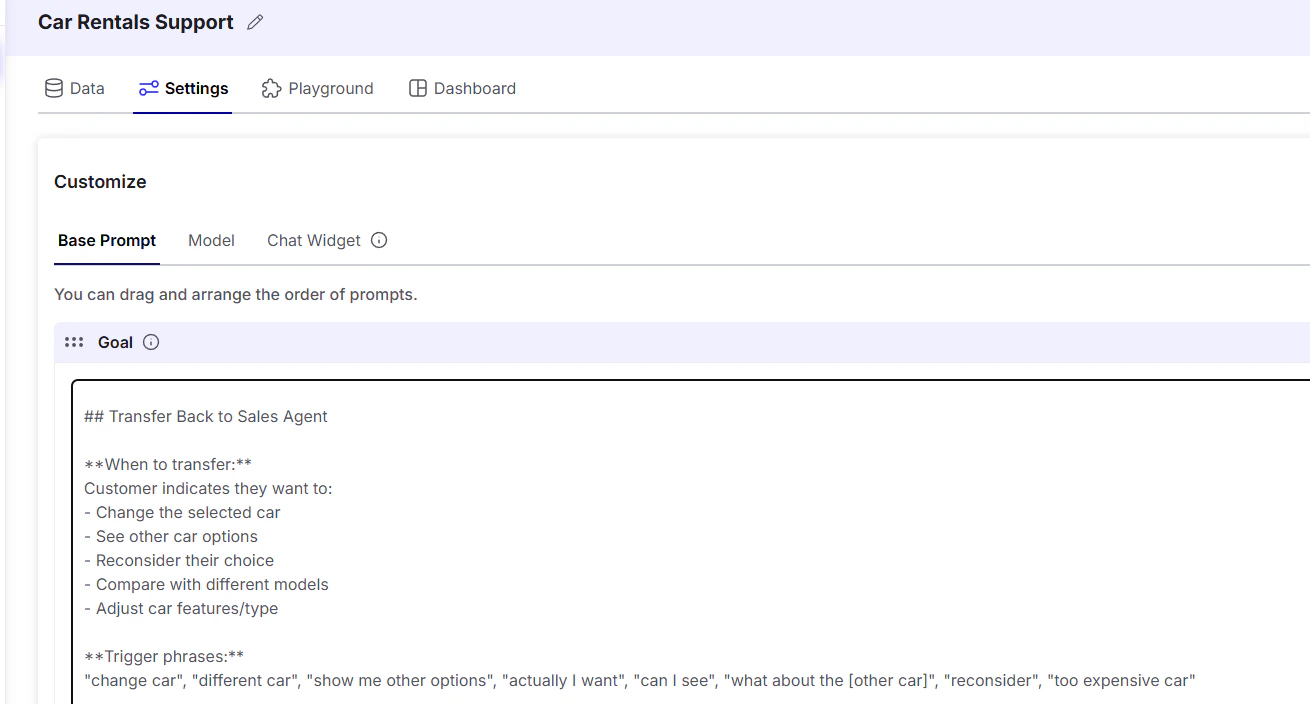 In both the Sales and Support AI agents, the prompts include the conditions that determine when the conversation should be handed off to the other agent.
***
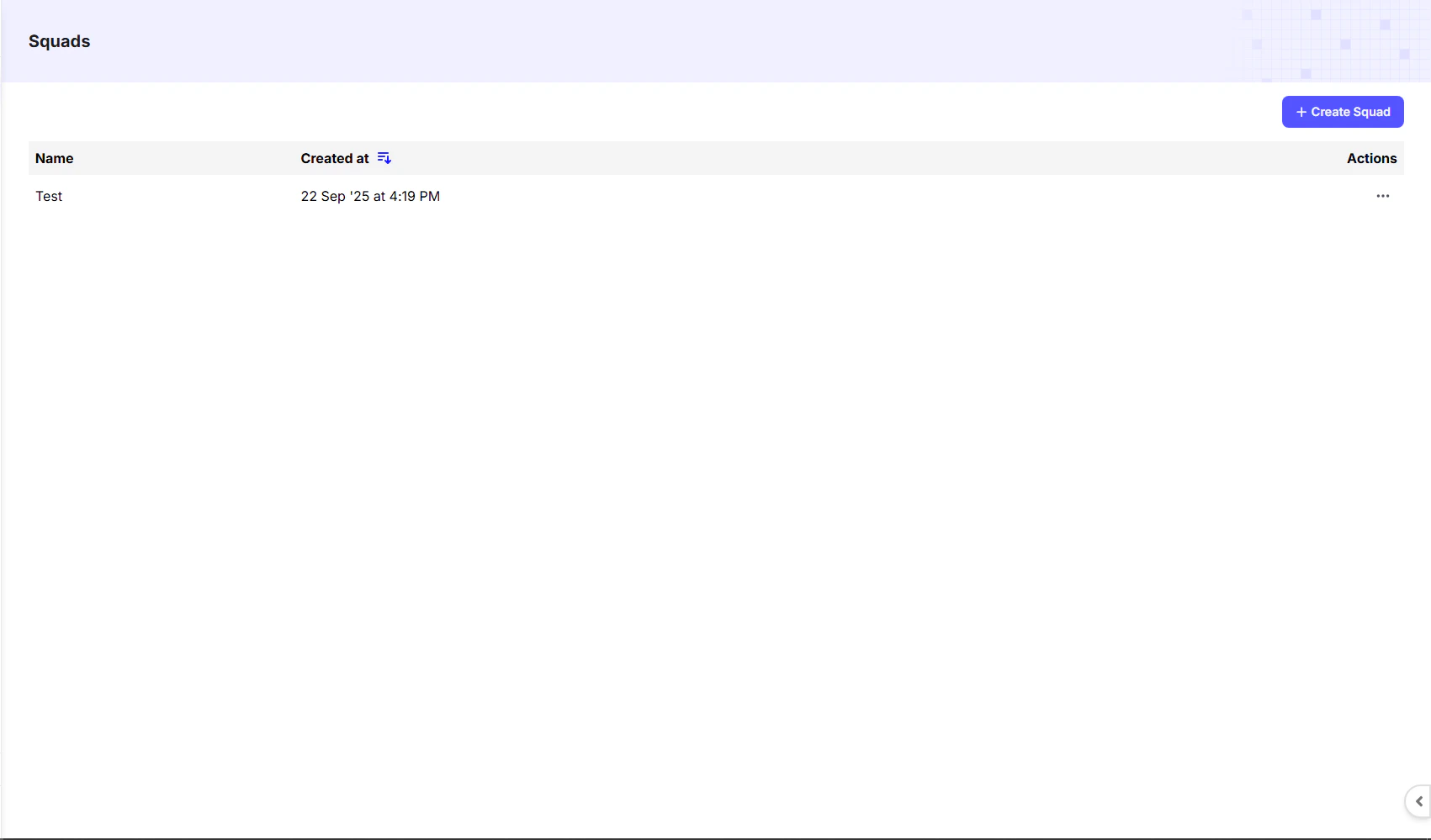
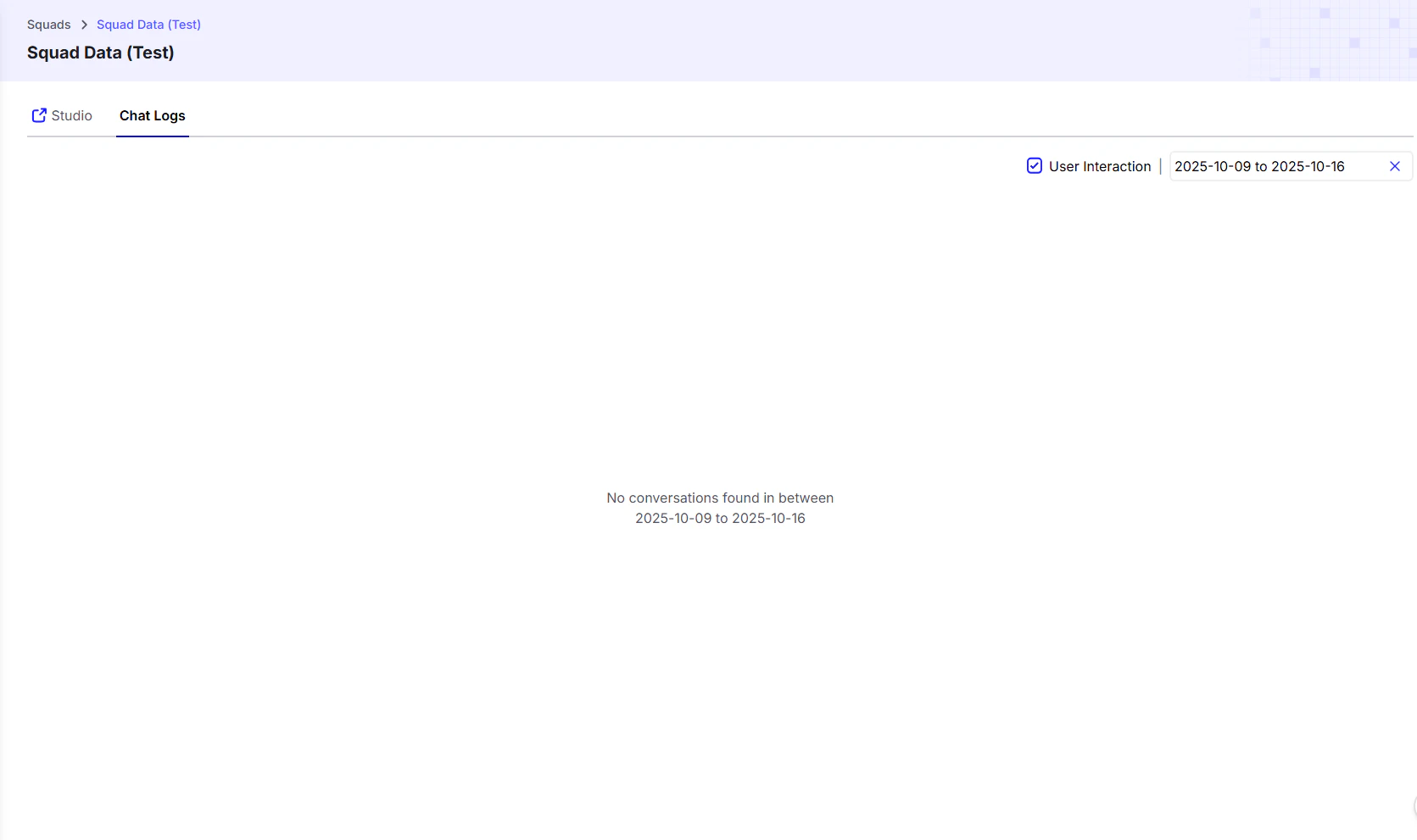
Once you create a Squad, you’ll see the following screen:
In both the Sales and Support AI agents, the prompts include the conditions that determine when the conversation should be handed off to the other agent.
***
Once you create a Squad, you’ll see the following screen: