> ## Documentation Index
> Fetch the complete documentation index at: https://docs.chatzy.ai/llms.txt
> Use this file to discover all available pages before exploring further.
# Studio
This is your main workspace for **designing and managing Squad architectures** a visual environment where you can connect multiple AI agents, define their interactions, and orchestrate multi-agent workflows.
 ***
#### **Workspace Overview**
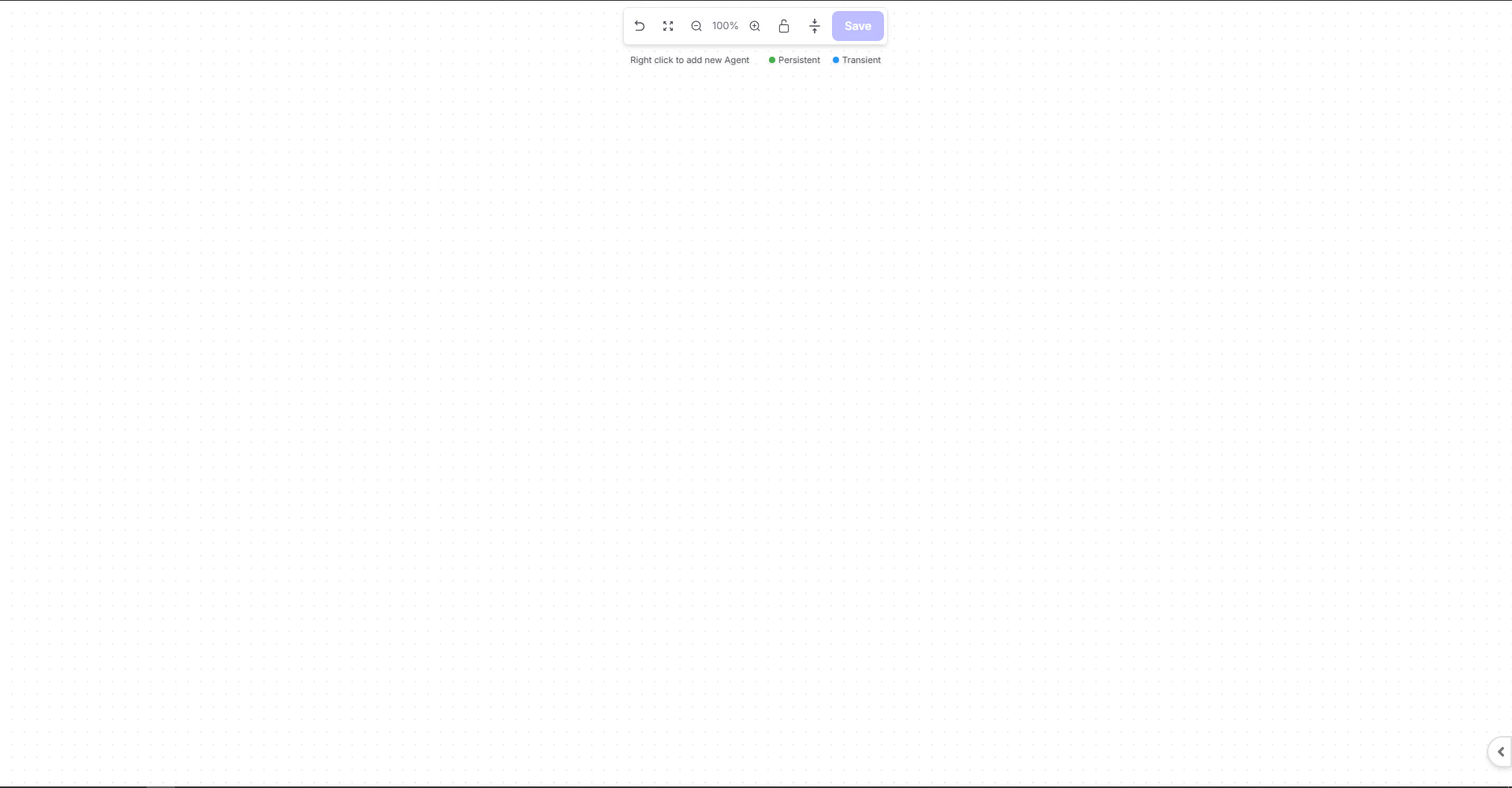
When you open the Studio, you’ll see an empty canvas where you can start adding and connecting agents.
* **Right-click anywhere** on the canvas to add a new Agent node.
* Use drag-and-drop to **connect agents** with directional links.
* **Color Codes:**
* 🟢 **Persistent Agents** – These are your **root or main agents** that maintain state, conversation history, and continuity across interactions.
* 🔵 **Transient Agents** – These are **temporary agents** that handle specific subtasks (e.g., customer support, scheduling). Once their task is done, control returns to the Persistent agent.
> 💡 **Example:**\
> In the layout below, “Lead Generation Test” is the **starting Persistent agent**, coordinating the flow. When customer queries move to booking or support, control is temporarily passed to Transient agents such as “Customer Support Test,” before returning back.
***
#### **Workspace Overview**
When you open the Studio, you’ll see an empty canvas where you can start adding and connecting agents.
* **Right-click anywhere** on the canvas to add a new Agent node.
* Use drag-and-drop to **connect agents** with directional links.
* **Color Codes:**
* 🟢 **Persistent Agents** – These are your **root or main agents** that maintain state, conversation history, and continuity across interactions.
* 🔵 **Transient Agents** – These are **temporary agents** that handle specific subtasks (e.g., customer support, scheduling). Once their task is done, control returns to the Persistent agent.
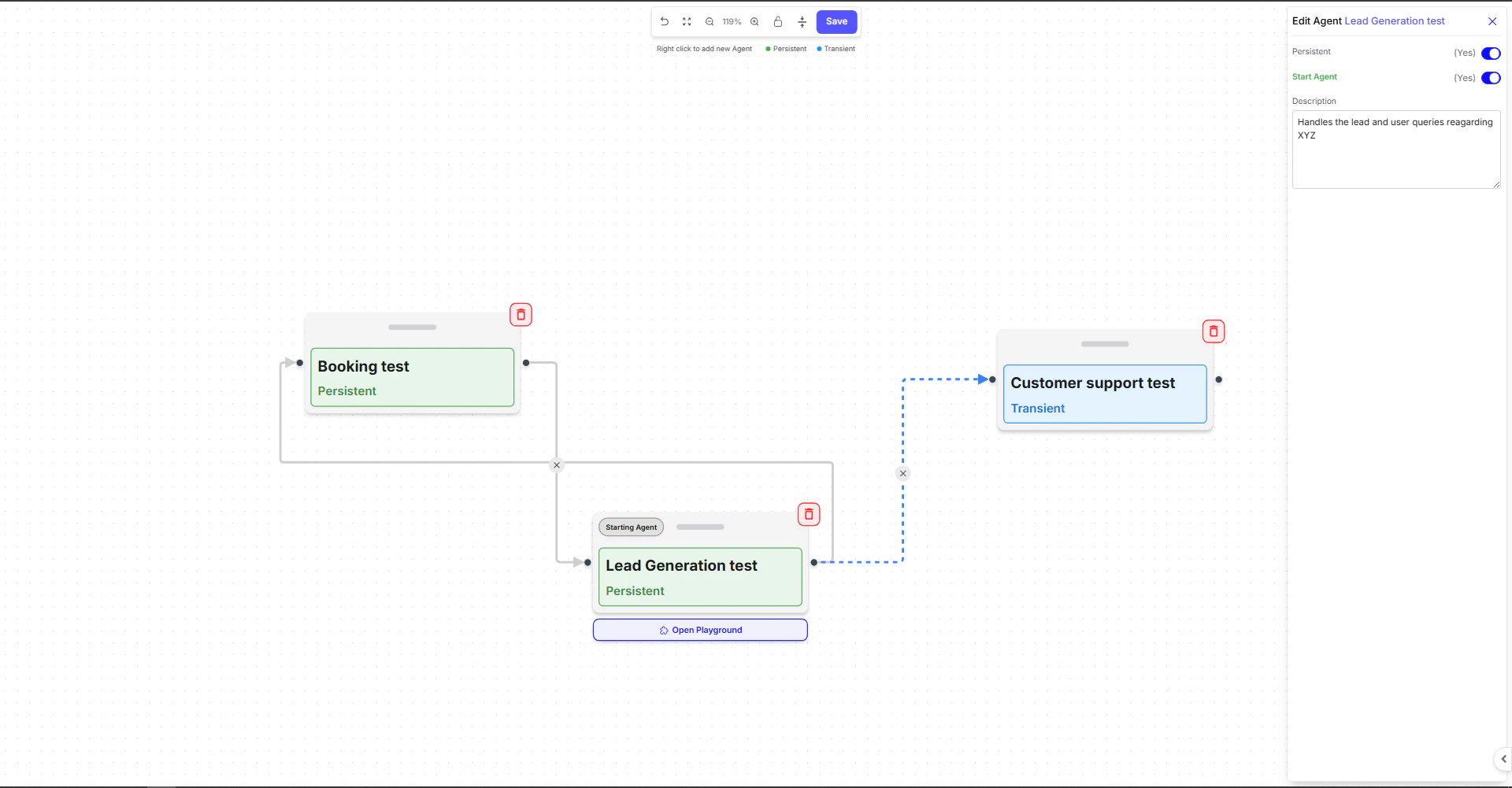
> 💡 **Example:**\
> In the layout below, “Lead Generation Test” is the **starting Persistent agent**, coordinating the flow. When customer queries move to booking or support, control is temporarily passed to Transient agents such as “Customer Support Test,” before returning back.
 ***
#### **Key Features**
##### **Agent Nodes**
Each node represents a **Conversational AI Agent**, and you can configure the following:
* **Description** – A brief summary of the use cases that the specific AI agent is responsible for.
* Whether the agent is **Persistent** or **Transient**.
* Whether the agent is the **Start Agent**, which serves as the entry point for the workflow.
##### **Right-Side Panel**
When you select a node, a configuration panel appears on the right. You can:
* Toggle **Persistent** and **Start Agent** settings
* Add a description or role definition
* Manage each agent’s context access and function scope
##### **Connections**
The arrows between agents define **communication flow** or **handover direction**. You can build:
* **Supervisor Models** – One main agent oversees others.
* **Network Models** – Agents interact bidirectionally for shared tasks.
* **Custom Models** – Multi-level or domain-specific routing.
##### **Save & Playground Preview**
* Click **Save** to store your Squad configuration.
* Use **Open Playground** to test how agents collaborate in real time.
***
#### About conversation context
* When you have two or more **persistent agents**, they automatically share the conversation history, allowing each agent to maintain full context as the dialogue progresses.
* When a query is routed from a **persistent agent to a transient agent**, the conversation history is **not** shared.
* The transient agent receives only a clearly defined task, processes it, and returns the output without accessing or retaining the broader context.
* This ensures clean, focused task execution while keeping long-term conversational logic within the persistent agents.
***
#### **Tips**
* Use a **Persistent root agent** for overall control and memory retention.
* Assign **Transient agents** for specialized or temporary goals.
* Start with 2–3 agents, then expand your architecture as complexity grows.
#### **Terminology Glossary**
| Term | Description |
| -------------------- | ------------------------------------------------------------------------------------------------------------------------------- |
| **Persistent Agent** | The main/root agent that retains memory and state across the Squad. It acts as the central coordinator. |
| **Transient Agent** | A temporary agent that handles short-lived, specific tasks. After completing its work, control returns to the Persistent agent. |
| **Start Agent** | The entry point of your Squad — the agent that initiates all interactions or workflows. |
| **Connection** | A directional link that defines how agents pass control, share data, or communicate with each other. |
***
***
#### **Key Features**
##### **Agent Nodes**
Each node represents a **Conversational AI Agent**, and you can configure the following:
* **Description** – A brief summary of the use cases that the specific AI agent is responsible for.
* Whether the agent is **Persistent** or **Transient**.
* Whether the agent is the **Start Agent**, which serves as the entry point for the workflow.
##### **Right-Side Panel**
When you select a node, a configuration panel appears on the right. You can:
* Toggle **Persistent** and **Start Agent** settings
* Add a description or role definition
* Manage each agent’s context access and function scope
##### **Connections**
The arrows between agents define **communication flow** or **handover direction**. You can build:
* **Supervisor Models** – One main agent oversees others.
* **Network Models** – Agents interact bidirectionally for shared tasks.
* **Custom Models** – Multi-level or domain-specific routing.
##### **Save & Playground Preview**
* Click **Save** to store your Squad configuration.
* Use **Open Playground** to test how agents collaborate in real time.
***
#### About conversation context
* When you have two or more **persistent agents**, they automatically share the conversation history, allowing each agent to maintain full context as the dialogue progresses.
* When a query is routed from a **persistent agent to a transient agent**, the conversation history is **not** shared.
* The transient agent receives only a clearly defined task, processes it, and returns the output without accessing or retaining the broader context.
* This ensures clean, focused task execution while keeping long-term conversational logic within the persistent agents.
***
#### **Tips**
* Use a **Persistent root agent** for overall control and memory retention.
* Assign **Transient agents** for specialized or temporary goals.
* Start with 2–3 agents, then expand your architecture as complexity grows.
#### **Terminology Glossary**
| Term | Description |
| -------------------- | ------------------------------------------------------------------------------------------------------------------------------- |
| **Persistent Agent** | The main/root agent that retains memory and state across the Squad. It acts as the central coordinator. |
| **Transient Agent** | A temporary agent that handles short-lived, specific tasks. After completing its work, control returns to the Persistent agent. |
| **Start Agent** | The entry point of your Squad — the agent that initiates all interactions or workflows. |
| **Connection** | A directional link that defines how agents pass control, share data, or communicate with each other. |
***