> ## Documentation Index
> Fetch the complete documentation index at: https://docs.chatzy.ai/llms.txt
> Use this file to discover all available pages before exploring further.
# Overview
## Voice AI Agent Customization Tabs
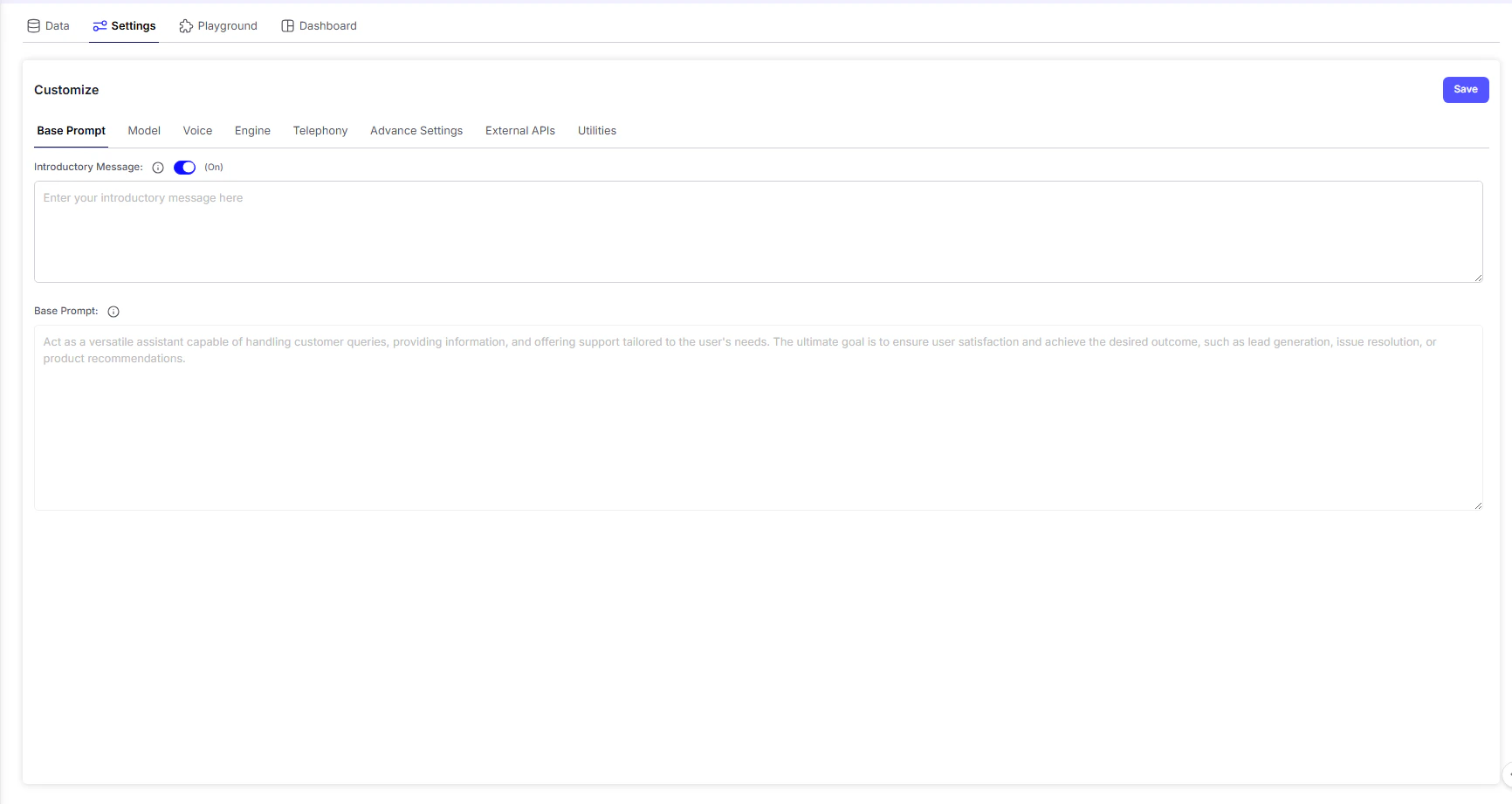 Define your chatbot’s intro. message, core personality, and instructions to control how it responds and flows in conversations.
Choose the AI model that powers your Voice Agent. Each model offers different strengths in understanding, reasoning, and natural speech response generation.
Select the voice persona for your AI - adjust tone, gender, and style to best match your brand or user experience goals.
Configure the core voice response rate configuration.
Manage telephony core settings such as hangup call on user silence and more.
Fine-tune technical details for balancing accuracy, engagement, and overall chatbot behavior.
Integrate external services - like CRMs, booking tools, or support platforms - for real-time information and seamless workflow automation.
Manage essential tools and system functions such as timestamps, and date and time context to ensure reliable performance.
***
> 💡 **Note:**\
> The **cost per minute** shown in the **top-right corner** of the Voice AI Agent dashboard dynamically updates based on your configuration — including selected **model**, **voice**, **engine**, and **telephony** settings.\
> This allows you to estimate real-time usage costs as you customize your agent.
Define your chatbot’s intro. message, core personality, and instructions to control how it responds and flows in conversations.
Choose the AI model that powers your Voice Agent. Each model offers different strengths in understanding, reasoning, and natural speech response generation.
Select the voice persona for your AI - adjust tone, gender, and style to best match your brand or user experience goals.
Configure the core voice response rate configuration.
Manage telephony core settings such as hangup call on user silence and more.
Fine-tune technical details for balancing accuracy, engagement, and overall chatbot behavior.
Integrate external services - like CRMs, booking tools, or support platforms - for real-time information and seamless workflow automation.
Manage essential tools and system functions such as timestamps, and date and time context to ensure reliable performance.
***
> 💡 **Note:**\
> The **cost per minute** shown in the **top-right corner** of the Voice AI Agent dashboard dynamically updates based on your configuration — including selected **model**, **voice**, **engine**, and **telephony** settings.\
> This allows you to estimate real-time usage costs as you customize your agent.