> ## Documentation Index
> Fetch the complete documentation index at: https://docs.chatzy.ai/llms.txt
> Use this file to discover all available pages before exploring further.
# Overview
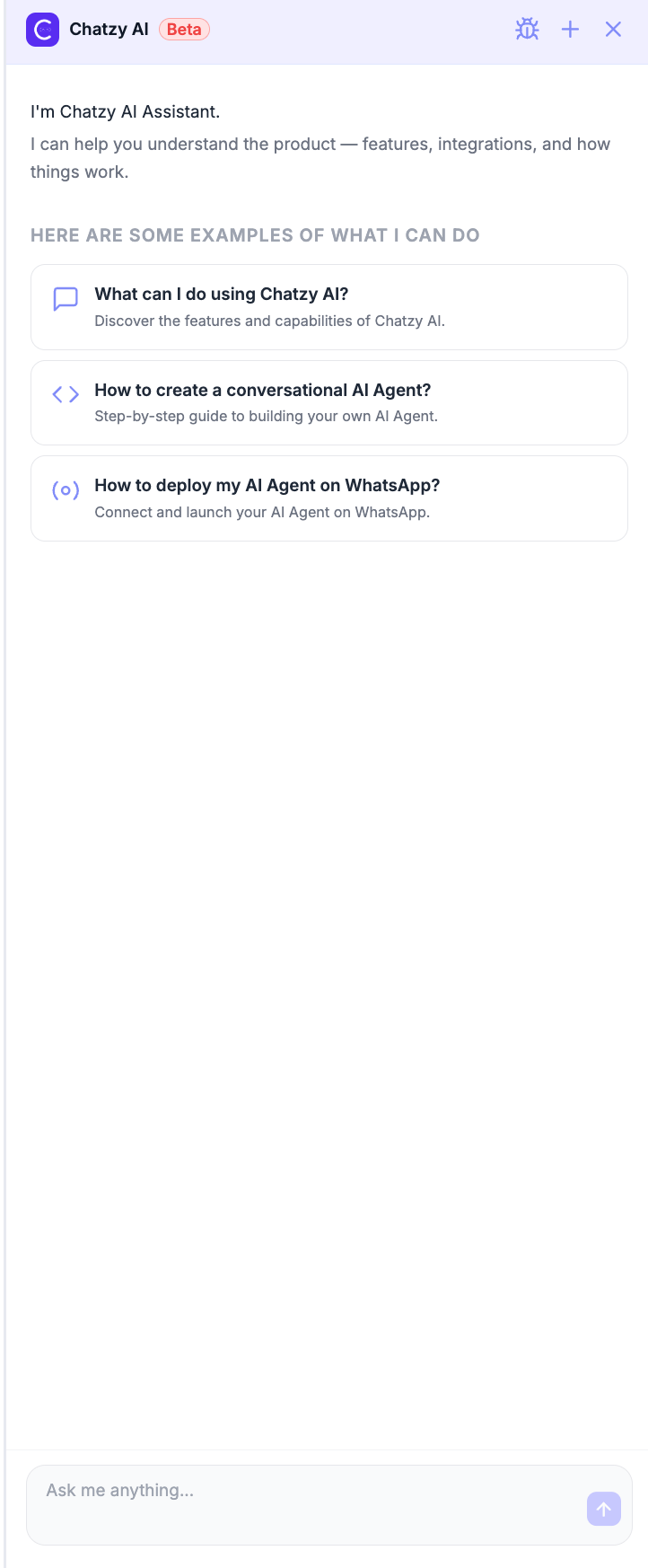
**Ask Chatzy AI** is your built-in AI assistant for navigating and understanding the Chatzy platform. Whether you're exploring features, troubleshooting an issue, or looking for implementation guidance, Chatzy AI provides instant answers without leaving the dashboard.
 ***
## What You Can Do
Chatzy AI is trained on Chatzy's documentation and product knowledge, allowing you to:
* Learn how different Chatzy features work.
* Get step-by-step guidance for setting up AI Agents, Journeys, Channels, and Integrations.
* Understand platform capabilities and best practices.
* Find relevant documentation without manually searching through the docs.
* Troubleshoot common configuration and implementation questions.
***
## Getting Started
Click **Ask Chatzy AI** from the left sidebar to open the assistant.
Simply type your question in the chat box, such as:
* *How do I create a Conversational AI Agent?*
* *How do I connect WhatsApp?*
* *How can I automate Instagram comments?*
* *How do I trigger a Journey from an AI Agent?*
You can also click one of the suggested prompts to quickly start a conversation.
***
## Additional Options
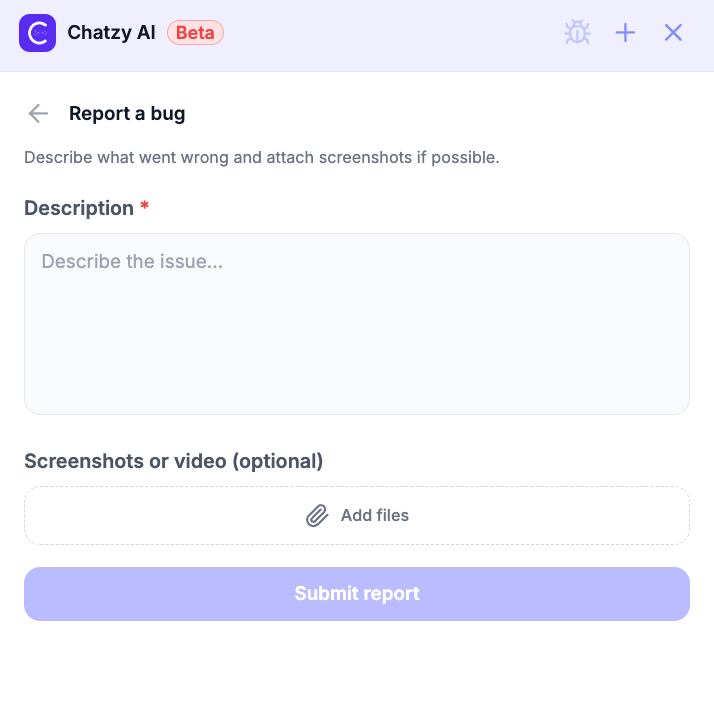
**Report a Bug:** Click the **Bug** icon in the top-right corner to report issues you encounter while using Chatzy. Provide a detailed description and optionally attach screenshots or screen recordings to help our team investigate and resolve the issue faster.
***
## What You Can Do
Chatzy AI is trained on Chatzy's documentation and product knowledge, allowing you to:
* Learn how different Chatzy features work.
* Get step-by-step guidance for setting up AI Agents, Journeys, Channels, and Integrations.
* Understand platform capabilities and best practices.
* Find relevant documentation without manually searching through the docs.
* Troubleshoot common configuration and implementation questions.
***
## Getting Started
Click **Ask Chatzy AI** from the left sidebar to open the assistant.
Simply type your question in the chat box, such as:
* *How do I create a Conversational AI Agent?*
* *How do I connect WhatsApp?*
* *How can I automate Instagram comments?*
* *How do I trigger a Journey from an AI Agent?*
You can also click one of the suggested prompts to quickly start a conversation.
***
## Additional Options
**Report a Bug:** Click the **Bug** icon in the top-right corner to report issues you encounter while using Chatzy. Provide a detailed description and optionally attach screenshots or screen recordings to help our team investigate and resolve the issue faster.
 **New Chat:** Click the **+** icon in the top-right corner to start a new conversation with Chatzy AI. This clears the current conversation and starts a fresh chat, allowing you to switch topics or begin with a clean context.
***
## Key Features
* **Instant Answers** - Get immediate responses to product and implementation questions.
* **Documentation Assistant** - Quickly find explanations and setup guides without browsing multiple pages.
* **Context-Aware Guidance** - Receive recommendations based on Chatzy features and supported workflows.
* **Always Available** - Access help anytime while working inside the platform.
> **Tip:** Ask Chatzy AI works best for questions about Chatzy features, setup, integrations, and implementation guidance. It's a quick way to discover platform capabilities and resolve common questions while building your automations.
**New Chat:** Click the **+** icon in the top-right corner to start a new conversation with Chatzy AI. This clears the current conversation and starts a fresh chat, allowing you to switch topics or begin with a clean context.
***
## Key Features
* **Instant Answers** - Get immediate responses to product and implementation questions.
* **Documentation Assistant** - Quickly find explanations and setup guides without browsing multiple pages.
* **Context-Aware Guidance** - Receive recommendations based on Chatzy features and supported workflows.
* **Always Available** - Access help anytime while working inside the platform.
> **Tip:** Ask Chatzy AI works best for questions about Chatzy features, setup, integrations, and implementation guidance. It's a quick way to discover platform capabilities and resolve common questions while building your automations.