> ## Documentation Index
> Fetch the complete documentation index at: https://docs.chatzy.ai/llms.txt
> Use this file to discover all available pages before exploring further.
# Linkedin
## Setting up LinkedIn
The **LinkedIn** channel allows you to connect your LinkedIn account with Chatzy to automate messaging, send connection requests, engage prospects, and streamline your outreach workflows.
 ***
### Prerequisites
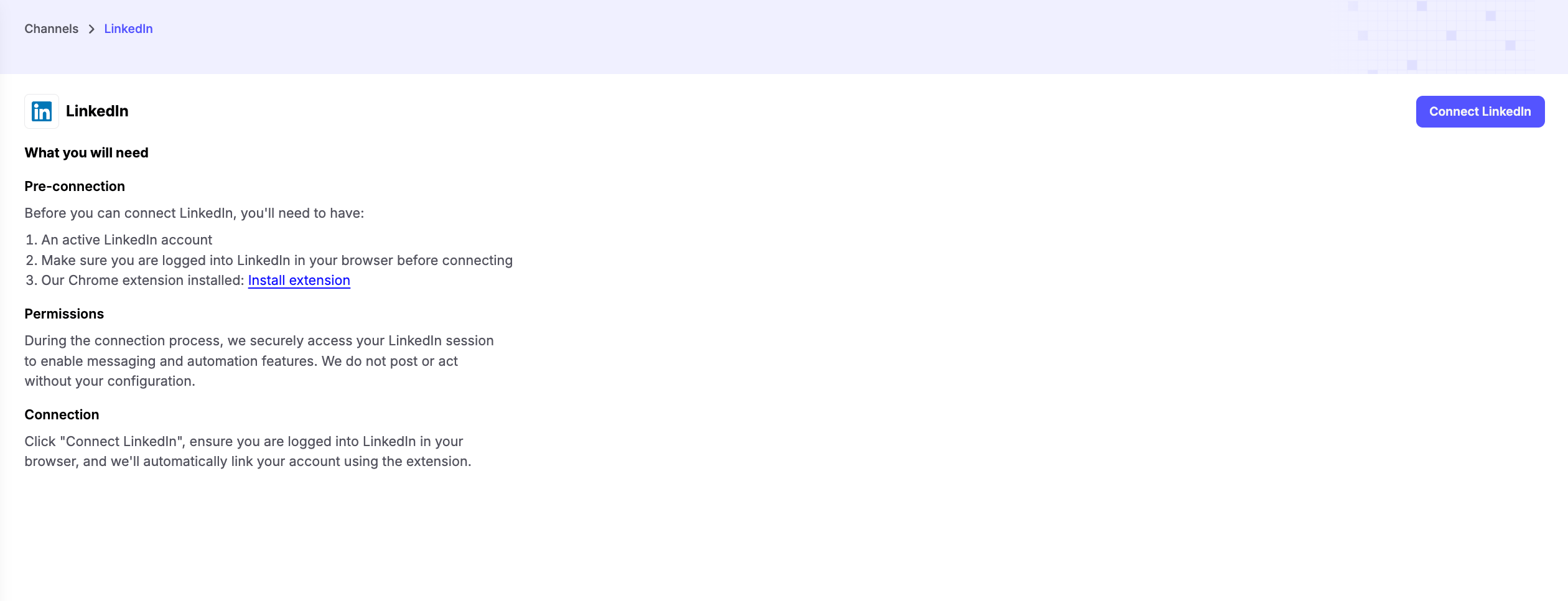
Before connecting LinkedIn, make sure you have:
1. **An Active LinkedIn Account**
* Ensure your LinkedIn account is active and accessible.
2. **Logged Into LinkedIn**
* Sign in to your LinkedIn account in the same browser before starting the connection process.
3. **Chatzy Chrome Extension Installed**
* Install the [Chatzy Chrome Extension](https://chromewebstore.google.com/detail/chatzy-ai-linkedin-connec/pdmiiamlnngachhbagabodalfccehnfh), which is required to securely connect your LinkedIn account and enable automation features.
***
### Connecting Your Account
Once you install the Extension, refresh the LinkedIn connections page
Click **Connect LinkedIn** and follow the prompts to authorize the connection.
The Chatzy Chrome Extension securely links your LinkedIn account, allowing your AI agent and journeys to perform LinkedIn actions on your behalf.
> **Note:** Make sure the Chrome Extension is installed and you are logged into LinkedIn before attempting to connect.
***
### Permissions
During the connection process, Chatzy securely accesses your LinkedIn session through the Chrome Extension to enable automation features.
Chatzy **does not** post, message, or perform any actions unless they are explicitly configured in your AI agent or Journey.
***
### Key Features
* **LinkedIn Messaging Automation** - Automatically send personalized messages to prospects and connections.
* **Connection Request Automation** - Send connection requests with optional personalized notes to grow your professional network.
* **AI-Powered Outreach** - Personalize conversations using AI and dynamic variables for higher engagement.
* **Lead Engagement** - Follow up with prospects automatically based on your workflows.
* **Journey Integration** - Trigger LinkedIn actions as part of your automated Journeys for seamless outreach.
***
### Common Use Cases
* **Sales Prospecting** - Send connection requests and follow-up messages to potential customers.
* **Recruitment** - Reach out to candidates with personalized connection requests and messages.
* **Business Development** - Build professional relationships and nurture leads automatically.
* **Networking** - Scale your outreach while maintaining personalized communication.
***
### Prerequisites
Before connecting LinkedIn, make sure you have:
1. **An Active LinkedIn Account**
* Ensure your LinkedIn account is active and accessible.
2. **Logged Into LinkedIn**
* Sign in to your LinkedIn account in the same browser before starting the connection process.
3. **Chatzy Chrome Extension Installed**
* Install the [Chatzy Chrome Extension](https://chromewebstore.google.com/detail/chatzy-ai-linkedin-connec/pdmiiamlnngachhbagabodalfccehnfh), which is required to securely connect your LinkedIn account and enable automation features.
***
### Connecting Your Account
Once you install the Extension, refresh the LinkedIn connections page
Click **Connect LinkedIn** and follow the prompts to authorize the connection.
The Chatzy Chrome Extension securely links your LinkedIn account, allowing your AI agent and journeys to perform LinkedIn actions on your behalf.
> **Note:** Make sure the Chrome Extension is installed and you are logged into LinkedIn before attempting to connect.
***
### Permissions
During the connection process, Chatzy securely accesses your LinkedIn session through the Chrome Extension to enable automation features.
Chatzy **does not** post, message, or perform any actions unless they are explicitly configured in your AI agent or Journey.
***
### Key Features
* **LinkedIn Messaging Automation** - Automatically send personalized messages to prospects and connections.
* **Connection Request Automation** - Send connection requests with optional personalized notes to grow your professional network.
* **AI-Powered Outreach** - Personalize conversations using AI and dynamic variables for higher engagement.
* **Lead Engagement** - Follow up with prospects automatically based on your workflows.
* **Journey Integration** - Trigger LinkedIn actions as part of your automated Journeys for seamless outreach.
***
### Common Use Cases
* **Sales Prospecting** - Send connection requests and follow-up messages to potential customers.
* **Recruitment** - Reach out to candidates with personalized connection requests and messages.
* **Business Development** - Build professional relationships and nurture leads automatically.
* **Networking** - Scale your outreach while maintaining personalized communication.