> ## Documentation Index
> Fetch the complete documentation index at: https://docs.chatzy.ai/llms.txt
> Use this file to discover all available pages before exploring further.
# Website
## Setting up Website
The **Website** channel allows you to embed your AI agent directly onto your website. By adding a simple code snippet, you can provide **real-time support**, **lead capture**, and **customer engagement** to your site visitors without requiring them to leave the page.
***
#### How to deploy Chatbot to the Website
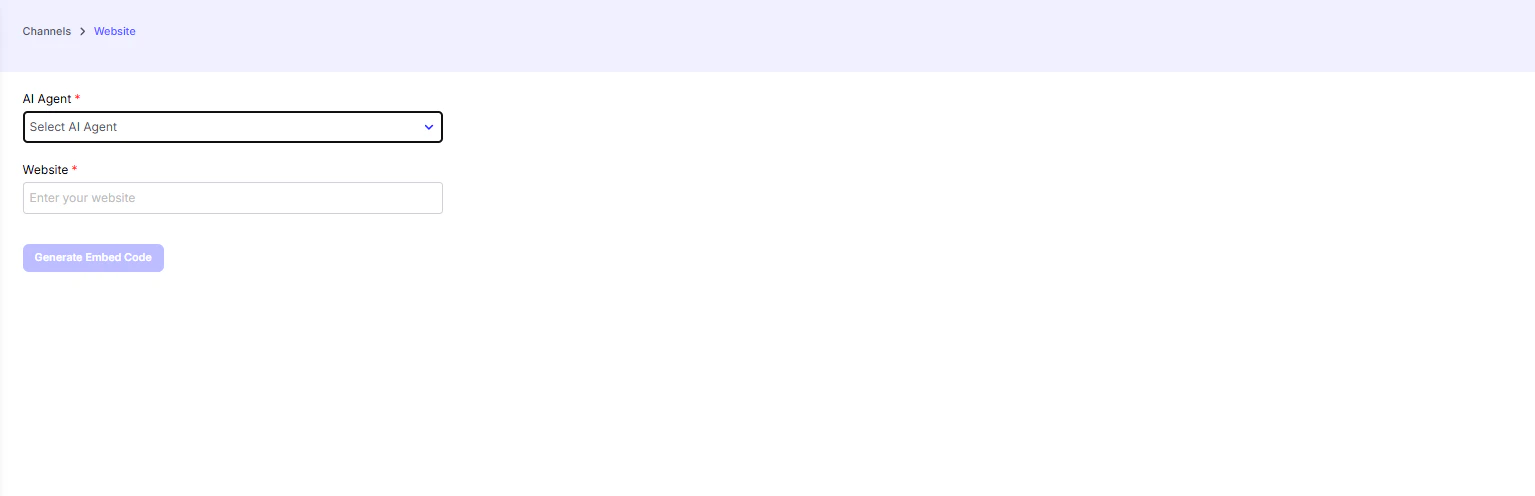
1. **Select Your AI Agent**\
From the dropdown menu, choose the AI agent you want to embed on your website.
2. **Enter Your Website URL**\
In the input field, enter the URL of the website where you want the chatbot to appear. This helps in generating the correct embed code.
3. **Generate Embed Code**\
Click **“Generate Embed Code”**. You’ll receive two options for integrating the chatbot into your site.
4. **Add the Code to Your Site**
* **Embed Code (Floating Bubble)**\
Copy the provided `` and `
 ***
#### How to deploy Chatbot to the Website
1. **Select Your AI Agent**\
From the dropdown menu, choose the AI agent you want to embed on your website.
2. **Enter Your Website URL**\
In the input field, enter the URL of the website where you want the chatbot to appear. This helps in generating the correct embed code.
3. **Generate Embed Code**\
Click **“Generate Embed Code”**. You’ll receive two options for integrating the chatbot into your site.
4. **Add the Code to Your Site**
* **Embed Code (Floating Bubble)**\
Copy the provided `` and `
***
#### How to deploy Chatbot to the Website
1. **Select Your AI Agent**\
From the dropdown menu, choose the AI agent you want to embed on your website.
2. **Enter Your Website URL**\
In the input field, enter the URL of the website where you want the chatbot to appear. This helps in generating the correct embed code.
3. **Generate Embed Code**\
Click **“Generate Embed Code”**. You’ll receive two options for integrating the chatbot into your site.
4. **Add the Code to Your Site**
* **Embed Code (Floating Bubble)**\
Copy the provided `` and `