> ## Documentation Index
> Fetch the complete documentation index at: https://docs.chatzy.ai/llms.txt
> Use this file to discover all available pages before exploring further.
# Dashboard
## The Journeys Dashboard
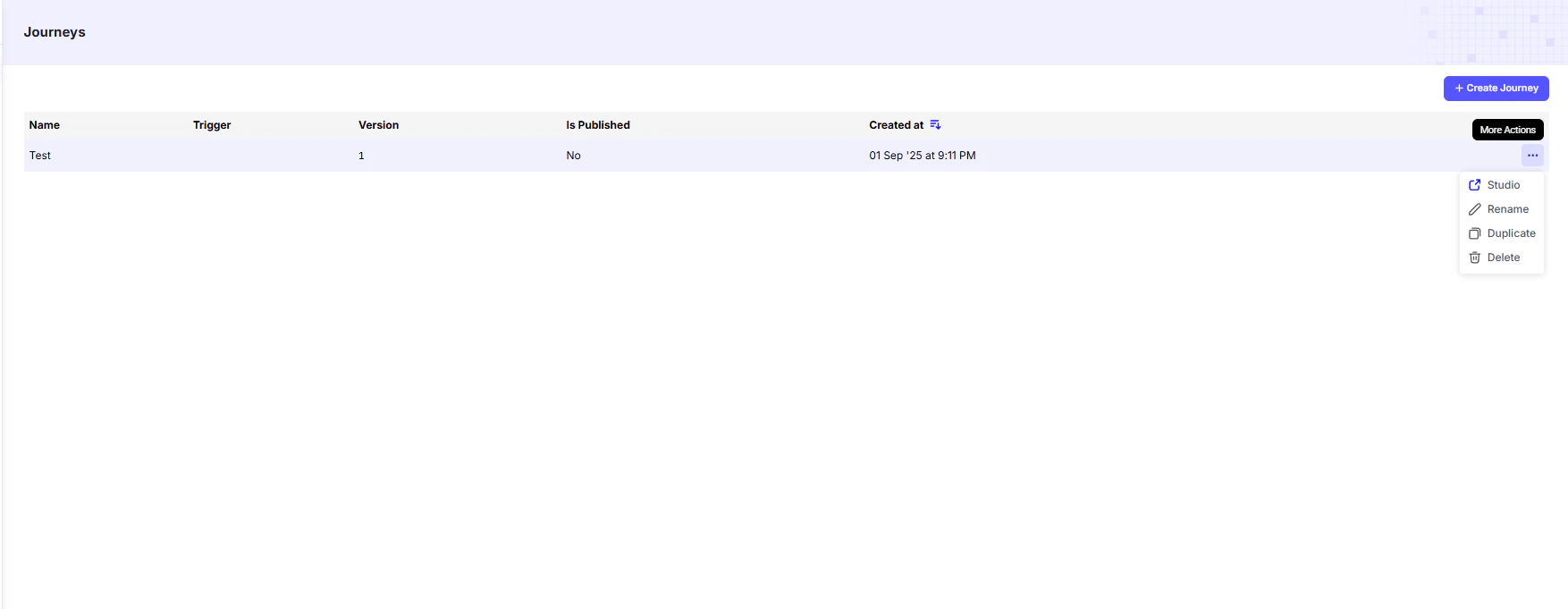 The **Journeys Dashboard** is your central hub for managing all conversational flows.\
From here, you can quickly view the status of each journey and perform key management actions.
***
### Journey List
The main table provides a summary of all journeys you’ve created:
| Column | Description |
| :--------------- | :----------------------------------------------------------------------------------------- |
| **Name** | The custom name you gave your journey. |
| **Trigger** | The event that starts this journey (e.g., user message, keyword mention, form submission). |
| **Version** | The current version number of the journey. |
| **Is Published** | Indicates whether the journey is live and active for users. |
| **Created At** | The date and time the journey was created. |
***
### Journey Actions
For each journey in the list, the **More Actions** dropdown provides management options:
* **Studio** → Opens the **visual flow builder** to edit journey nodes and cards.
* **Rename** → Change the journey’s name.
* **Duplicate** → Create an exact copy (useful for testing variations or creating backups).
* **Delete** → Permanently remove the journey from your account.
The **Journeys Dashboard** is your central hub for managing all conversational flows.\
From here, you can quickly view the status of each journey and perform key management actions.
***
### Journey List
The main table provides a summary of all journeys you’ve created:
| Column | Description |
| :--------------- | :----------------------------------------------------------------------------------------- |
| **Name** | The custom name you gave your journey. |
| **Trigger** | The event that starts this journey (e.g., user message, keyword mention, form submission). |
| **Version** | The current version number of the journey. |
| **Is Published** | Indicates whether the journey is live and active for users. |
| **Created At** | The date and time the journey was created. |
***
### Journey Actions
For each journey in the list, the **More Actions** dropdown provides management options:
* **Studio** → Opens the **visual flow builder** to edit journey nodes and cards.
* **Rename** → Change the journey’s name.
* **Duplicate** → Create an exact copy (useful for testing variations or creating backups).
* **Delete** → Permanently remove the journey from your account.