> ## Documentation Index
> Fetch the complete documentation index at: https://docs.chatzy.ai/llms.txt
> Use this file to discover all available pages before exploring further.
# Getting Started
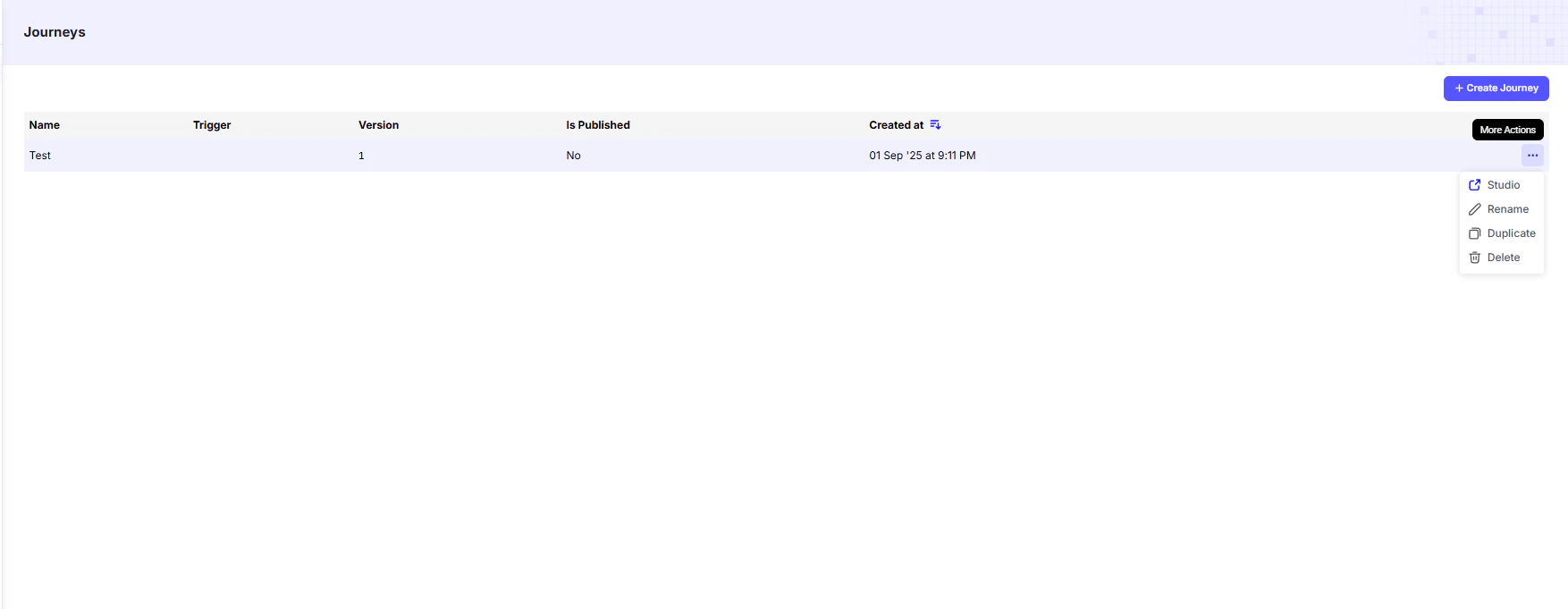
The **Journeys** page is where you create and manage automated conversational flows.\
A journey is a **predefined sequence of triggers and actions** that your user goes through, often triggered by a specific event.\
Journeys ensure that interactions with users are **timely, consistent, and efficient**, while reducing manual work.
 ***
## Creating a Journey
To create a new journey:
1. Click on the **"+ Create Journey"** button.
2. Provide the following details in the pop-up:
* **Journey Name**: Give your journey a name that helps you identify its purpose.
* **Template**: Select from pre-built templates for quick setup, or start with a blank canvas for full customization.
***
### Available Journey Templates
You can choose from the following templates to build common conversational flows:
#### 1. Blank Journey Template
* Start from scratch with no predefined steps.
* Best for building a **custom journey** tailored to your specific goals or workflow.
#### 2. WhatsApp Lead Nurture
* A pre-designed flow for nurturing leads on WhatsApp.
* Guides users through a series of **structured messages** to build engagement and qualify leads.
* Ideal for **WhatsApp-based campaigns** with minimal setup.
#### 3. Autoreply to Leads (Inbound)
* Automatically responds to inbound messages with a predefined flow:
* User sends a message.
* The system sends an **instant auto-reply**.
* After a delay, a **follow-up message** is sent based on the user’s response.
* Great for **initial engagement and follow-ups**.
#### 4. Assign Conversation to AI Agent
* Automatically assigns conversations to an AI agent when the journey is triggered.
* Includes a **built-in follow-up system** for ongoing engagement.
* Useful for **AI-driven lead qualification or conversions**.
#### 5. Transfer to AI Agent
* Transfers an ongoing conversation from one AI agent to another when a **specific webhook or condition** is triggered.
* Ensures a **seamless handover** between an AI agent when required.
#### 6. Push Leads to CRM
* Captures and extracts user details.
* Sends the collected data directly to your **CRM system**.
* Streamlines lead management and supports **sales or support workflows**.
***
Design and implement your Workflows
***
Here are some step-by-step Journey examples you can explore.
How to Create a Journey that Assigns Conversations to an AI Agent
Link your AI system with the business tools you already use.
How to Create a WhatsApp Lead Nurture Journey
***
## Creating a Journey
To create a new journey:
1. Click on the **"+ Create Journey"** button.
2. Provide the following details in the pop-up:
* **Journey Name**: Give your journey a name that helps you identify its purpose.
* **Template**: Select from pre-built templates for quick setup, or start with a blank canvas for full customization.
***
### Available Journey Templates
You can choose from the following templates to build common conversational flows:
#### 1. Blank Journey Template
* Start from scratch with no predefined steps.
* Best for building a **custom journey** tailored to your specific goals or workflow.
#### 2. WhatsApp Lead Nurture
* A pre-designed flow for nurturing leads on WhatsApp.
* Guides users through a series of **structured messages** to build engagement and qualify leads.
* Ideal for **WhatsApp-based campaigns** with minimal setup.
#### 3. Autoreply to Leads (Inbound)
* Automatically responds to inbound messages with a predefined flow:
* User sends a message.
* The system sends an **instant auto-reply**.
* After a delay, a **follow-up message** is sent based on the user’s response.
* Great for **initial engagement and follow-ups**.
#### 4. Assign Conversation to AI Agent
* Automatically assigns conversations to an AI agent when the journey is triggered.
* Includes a **built-in follow-up system** for ongoing engagement.
* Useful for **AI-driven lead qualification or conversions**.
#### 5. Transfer to AI Agent
* Transfers an ongoing conversation from one AI agent to another when a **specific webhook or condition** is triggered.
* Ensures a **seamless handover** between an AI agent when required.
#### 6. Push Leads to CRM
* Captures and extracts user details.
* Sends the collected data directly to your **CRM system**.
* Streamlines lead management and supports **sales or support workflows**.
***
Design and implement your Workflows
***
Here are some step-by-step Journey examples you can explore.
How to Create a Journey that Assigns Conversations to an AI Agent
Link your AI system with the business tools you already use.
How to Create a WhatsApp Lead Nurture Journey