> ## Documentation Index
> Fetch the complete documentation index at: https://docs.chatzy.ai/llms.txt
> Use this file to discover all available pages before exploring further.
# Conditions
The **Condition** action allows you to create a logical branch in your journey. This is the "if/else" of your conversational flow, enabling you to send a user down a specific path based on whether a certain condition is met.
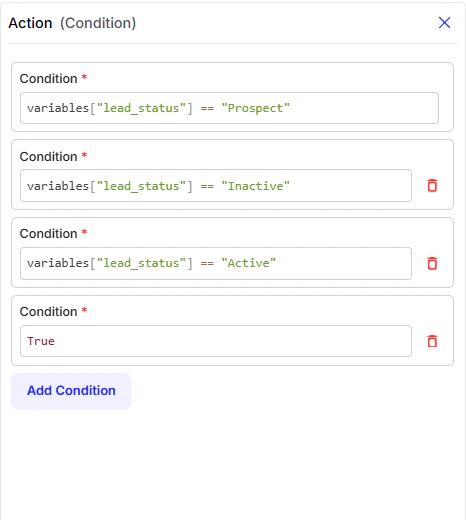 #### Configuration Fields
* **Condition**: This is where you write the rule that the chatbot will evaluate. You can use this field to check a user's input, the value of a variable, or the presence of a tag.
* **Add Condition**: This button lets you add more conditions to create more complex branching logic. The chatbot will check each condition in order, from top to bottom.
#### Configuration Fields
* **Condition**: This is where you write the rule that the chatbot will evaluate. You can use this field to check a user's input, the value of a variable, or the presence of a tag.
* **Add Condition**: This button lets you add more conditions to create more complex branching logic. The chatbot will check each condition in order, from top to bottom.
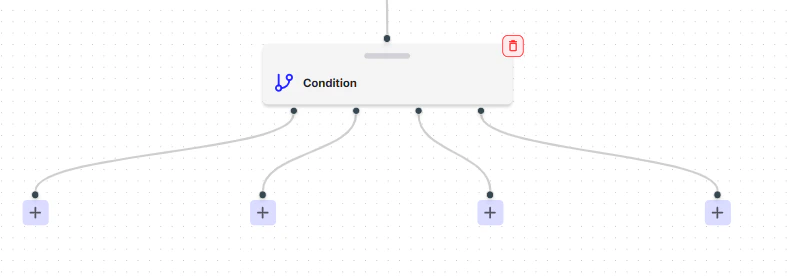 You can use these branches to create custom flows.