> ## Documentation Index
> Fetch the complete documentation index at: https://docs.chatzy.ai/llms.txt
> Use this file to discover all available pages before exploring further.
# Initiate Outbound WhatsApp Call
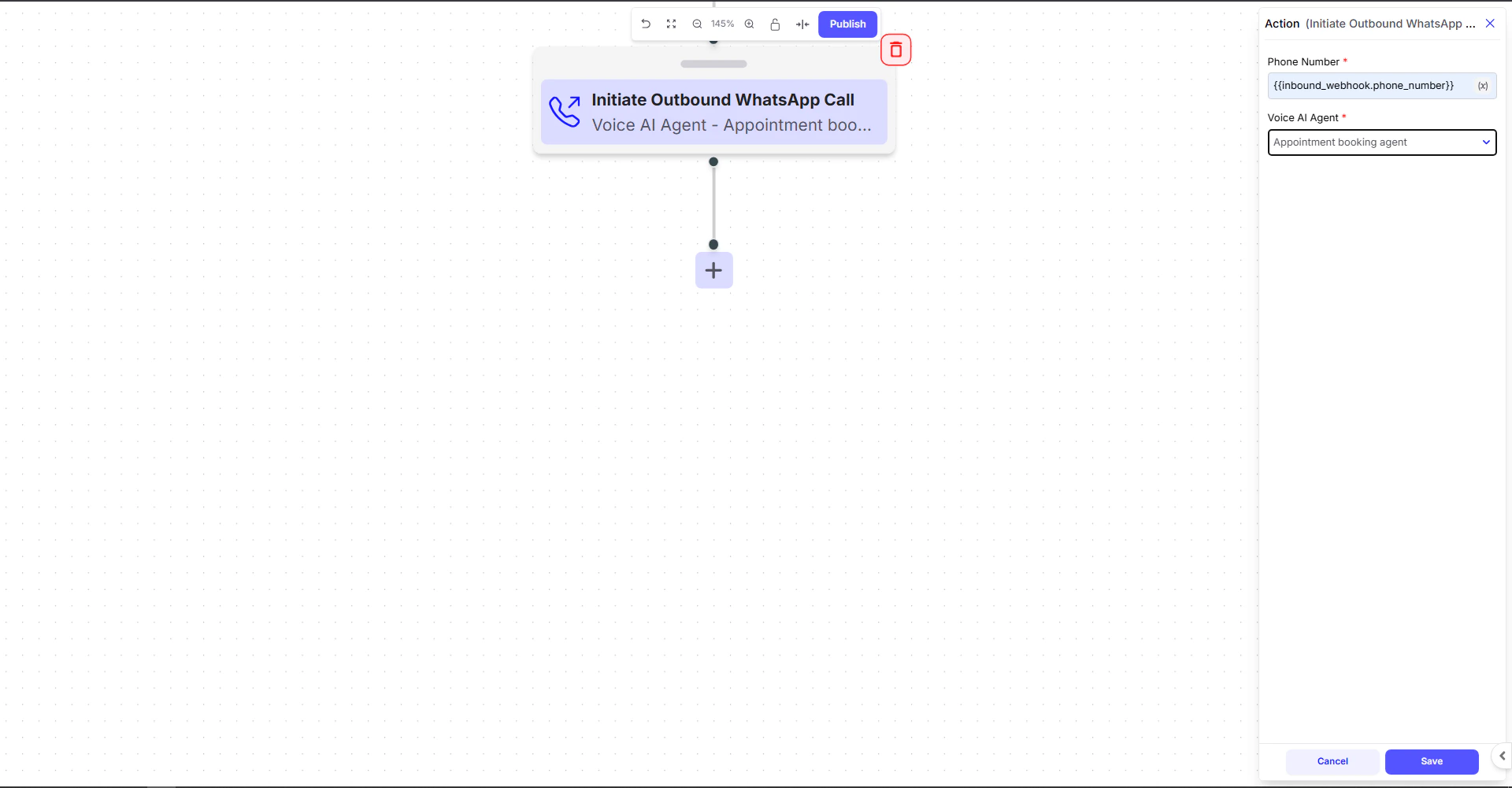
The **Initiate Outbound WhatsApp Call** action allows your Journey to automatically trigger a phone call handled by a **Voice AI Agent**. This is useful for use cases like appointment reminders, lead callbacks, support follow-ups, and more.
 ***
## Configuration Fields
### **Phone Number**
This is the number the Voice AI Agent will call.
Pass the number using Journey variables:
```handlebars theme={null}
{{inbound_webhook.phone_number}}
```
***
### **Voice AI Agent**
Select which **Voice Agent** should handle the outbound call.
* The chosen Voice Agent will speak the intro message, follow the Base Prompt, and run the full voice flow.
* Make sure the agent is properly configured with:
* Voice settings
* Telephony settings
* Base prompt
* Model & engine
***
## Example Use Case
### **Scenario: Auto‑callback for Appointment Booking**
A CRM sends booking details via webhook:
```json theme={null}
{
"name": "Amit",
"phone_number": "918765432101",
"appointment_slot": "Today at 4 PM"
}
```
Your Journey contains this action:
* Phone Number → `{{inbound_webhook.phone_number}}`
* Voice AI Agent → **Appointment booking agent**
The AI Agent calls the customer automatically to:
* Confirm the appointment
* Reschedule if needed
* Capture additional info
***
***
## Configuration Fields
### **Phone Number**
This is the number the Voice AI Agent will call.
Pass the number using Journey variables:
```handlebars theme={null}
{{inbound_webhook.phone_number}}
```
***
### **Voice AI Agent**
Select which **Voice Agent** should handle the outbound call.
* The chosen Voice Agent will speak the intro message, follow the Base Prompt, and run the full voice flow.
* Make sure the agent is properly configured with:
* Voice settings
* Telephony settings
* Base prompt
* Model & engine
***
## Example Use Case
### **Scenario: Auto‑callback for Appointment Booking**
A CRM sends booking details via webhook:
```json theme={null}
{
"name": "Amit",
"phone_number": "918765432101",
"appointment_slot": "Today at 4 PM"
}
```
Your Journey contains this action:
* Phone Number → `{{inbound_webhook.phone_number}}`
* Voice AI Agent → **Appointment booking agent**
The AI Agent calls the customer automatically to:
* Confirm the appointment
* Reschedule if needed
* Capture additional info
***