> ## Documentation Index
> Fetch the complete documentation index at: https://docs.chatzy.ai/llms.txt
> Use this file to discover all available pages before exploring further.
# Roles & Permissions
| Role | Permissions |
| ----------- | ---------------------------------------------------------------------------------- |
| Super Admin | Full access to everything. Cannot be removed by any other member. |
| Admin | Manage everything except removing Super Admins. |
| Editor | Manage bots, conversations, sources, and campaigns. No billing or team settings. |
| Viewer | Read-only access to dashboards, campaigns, and contacts. No edits allowed. |
| Agent | Can only access and respond to conversations. No access to other data or settings. |
 Checking Your Access
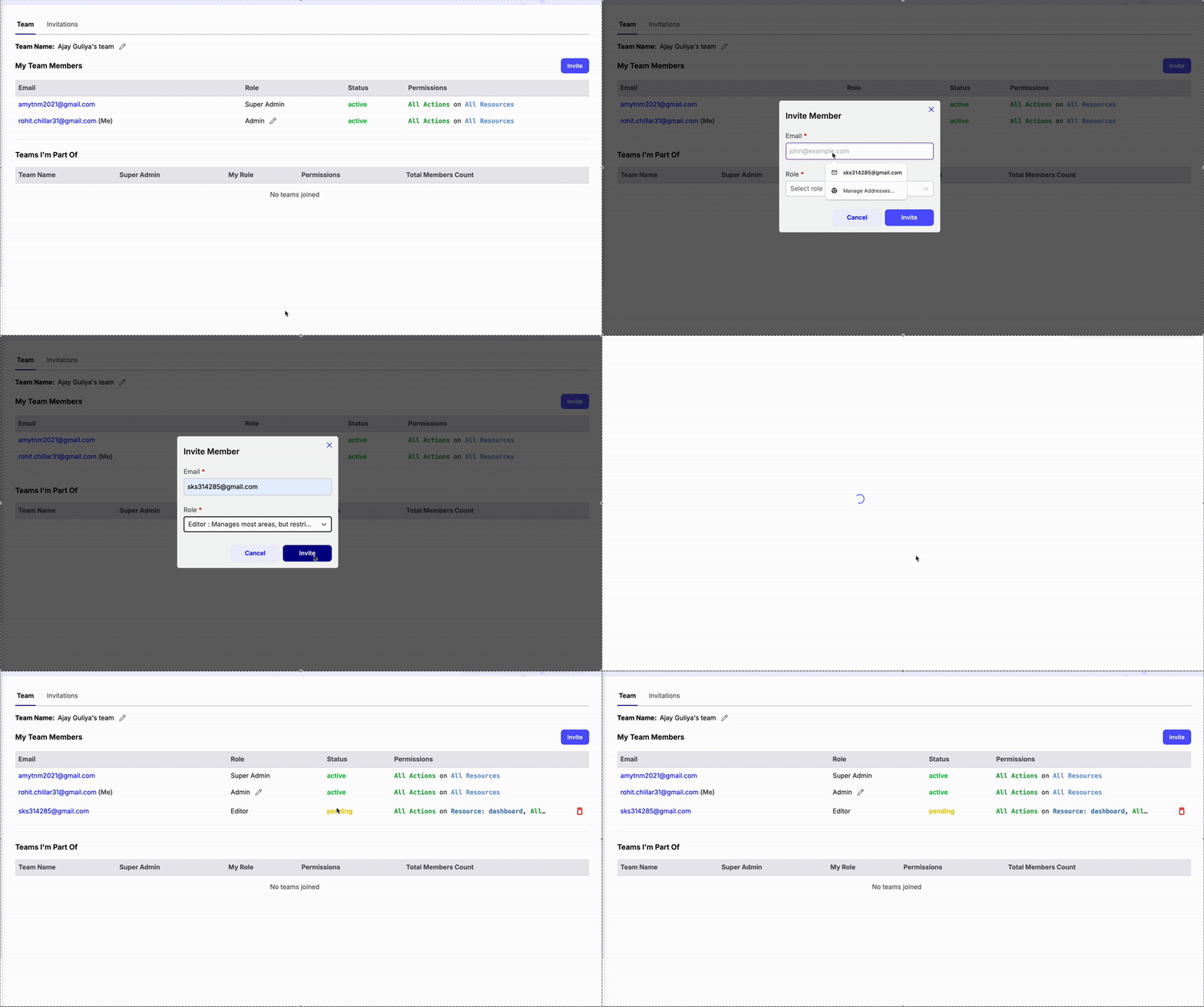
* You can see your role for each team in the **My Teams** section.
* The full list of team members and their roles is visible in **My Team Members**.
* Invitations and their current status are tracked in the **Invitations** tab.
> **Tip:** Click your **profile name** in the bottom-left corner to access your account menu. From there, you can switch between teams you've been added to or log out of your Chatzy account.
Checking Your Access
* You can see your role for each team in the **My Teams** section.
* The full list of team members and their roles is visible in **My Team Members**.
* Invitations and their current status are tracked in the **Invitations** tab.
> **Tip:** Click your **profile name** in the bottom-left corner to access your account menu. From there, you can switch between teams you've been added to or log out of your Chatzy account.