> ## Documentation Index
> Fetch the complete documentation index at: https://docs.chatzy.ai/llms.txt
> Use this file to discover all available pages before exploring further.
# LinkedIn Templates
The **LinkedIn Message Templates** section allows you to create reusable text templates for your LinkedIn outreach and automation workflows. These templates can be used in Journeys to send personalized messages or connection requests to your LinkedIn prospects.
 ***
## Template Category
LinkedIn currently supports a single template type:
### Text
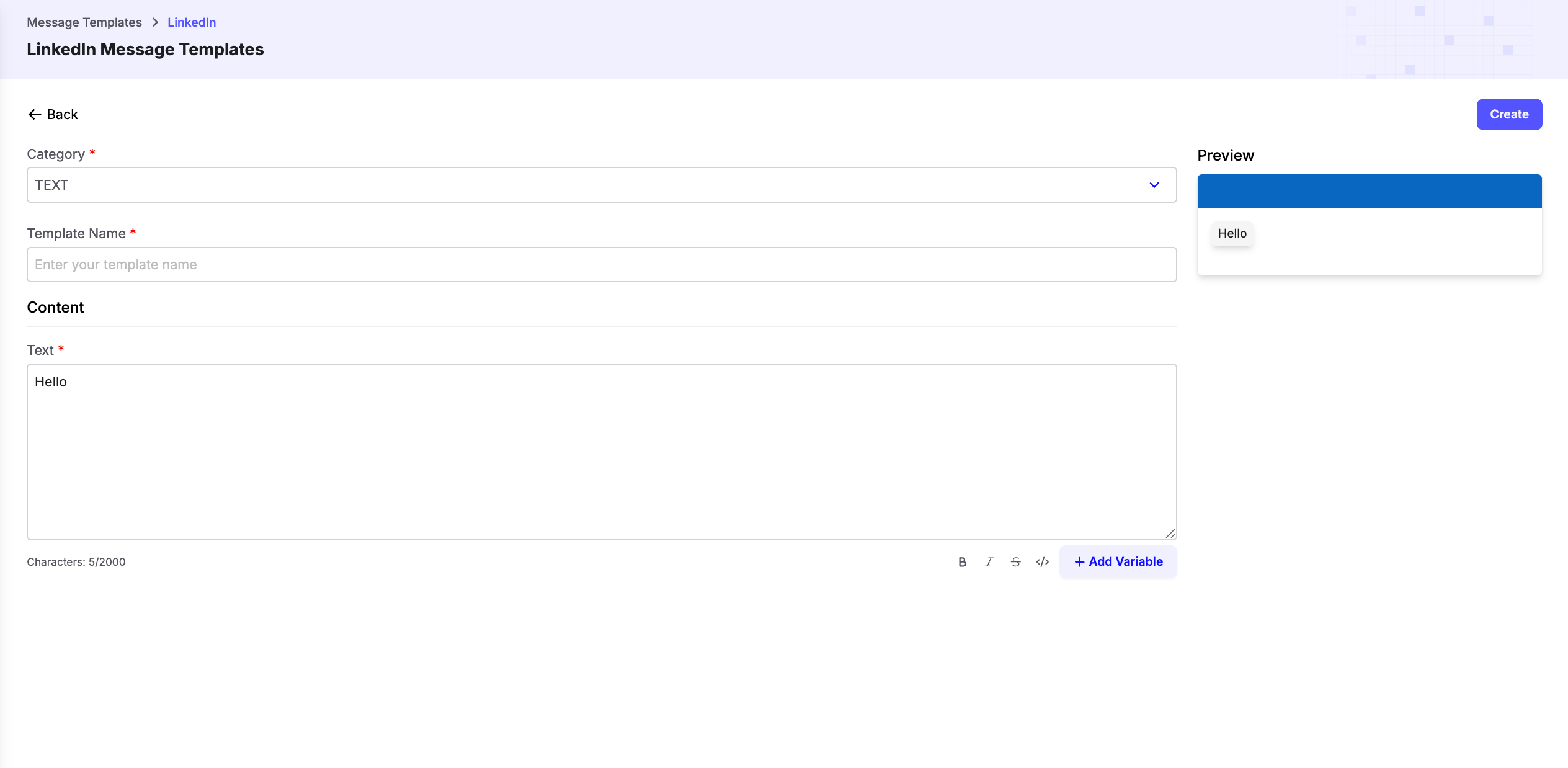
Text templates let you create reusable LinkedIn messages that can be personalized using dynamic variables.
When creating a template:
* Select **TEXT** as the category.
* Enter a unique **Template Name** to identify the template.
* Write the message in the **Text** field.
* Use **Add Variable** to insert dynamic placeholders that are replaced with actual values when the template is sent.
* Review the live **Preview** before saving the template.
***
## Dynamic Variables
Dynamic variables allow you to personalize each LinkedIn message automatically.
For example:
`Hi {{first_name}}, I came across your profile and would love to connect with you.`
At runtime, placeholders such as `{{first_name}}` are replaced with the corresponding values from your Journey or workflow.
***
> **Tip:** Keep your LinkedIn templates short and conversational. Personalized messages generally achieve higher response and connection acceptance rates.
***
## Template Category
LinkedIn currently supports a single template type:
### Text
Text templates let you create reusable LinkedIn messages that can be personalized using dynamic variables.
When creating a template:
* Select **TEXT** as the category.
* Enter a unique **Template Name** to identify the template.
* Write the message in the **Text** field.
* Use **Add Variable** to insert dynamic placeholders that are replaced with actual values when the template is sent.
* Review the live **Preview** before saving the template.
***
## Dynamic Variables
Dynamic variables allow you to personalize each LinkedIn message automatically.
For example:
`Hi {{first_name}}, I came across your profile and would love to connect with you.`
At runtime, placeholders such as `{{first_name}}` are replaced with the corresponding values from your Journey or workflow.
***
> **Tip:** Keep your LinkedIn templates short and conversational. Personalized messages generally achieve higher response and connection acceptance rates.