
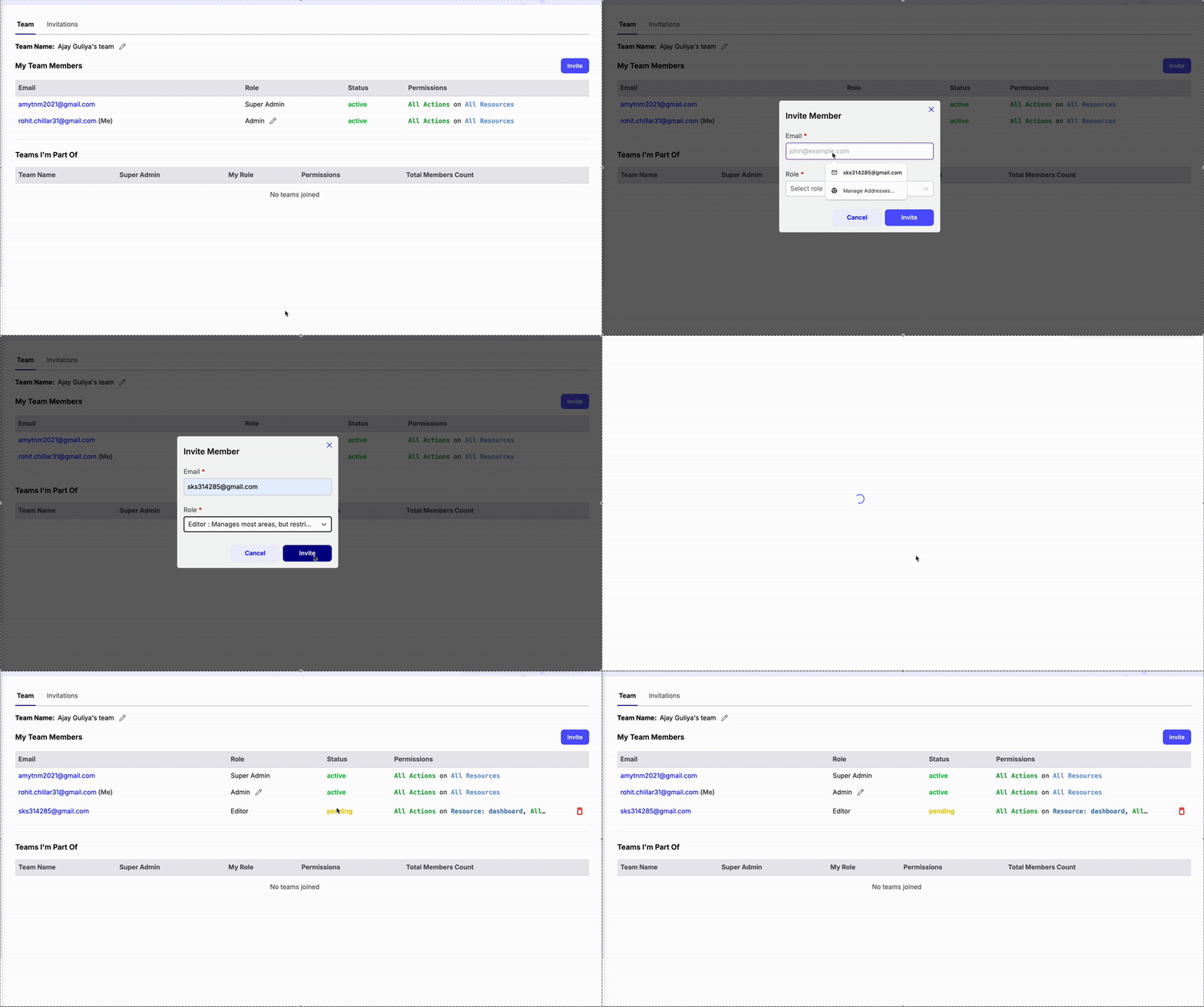
- You can see your role for each team in the My Teams section.
- The full list of team members and their roles is visible in My Team Members.
- Invitations and their current status are tracked in the Invitations tab.
Tip: Click your profile name in the bottom-left corner to access your account menu. From there, you can switch between teams you’ve been added to or log out of your Chatzy account.