
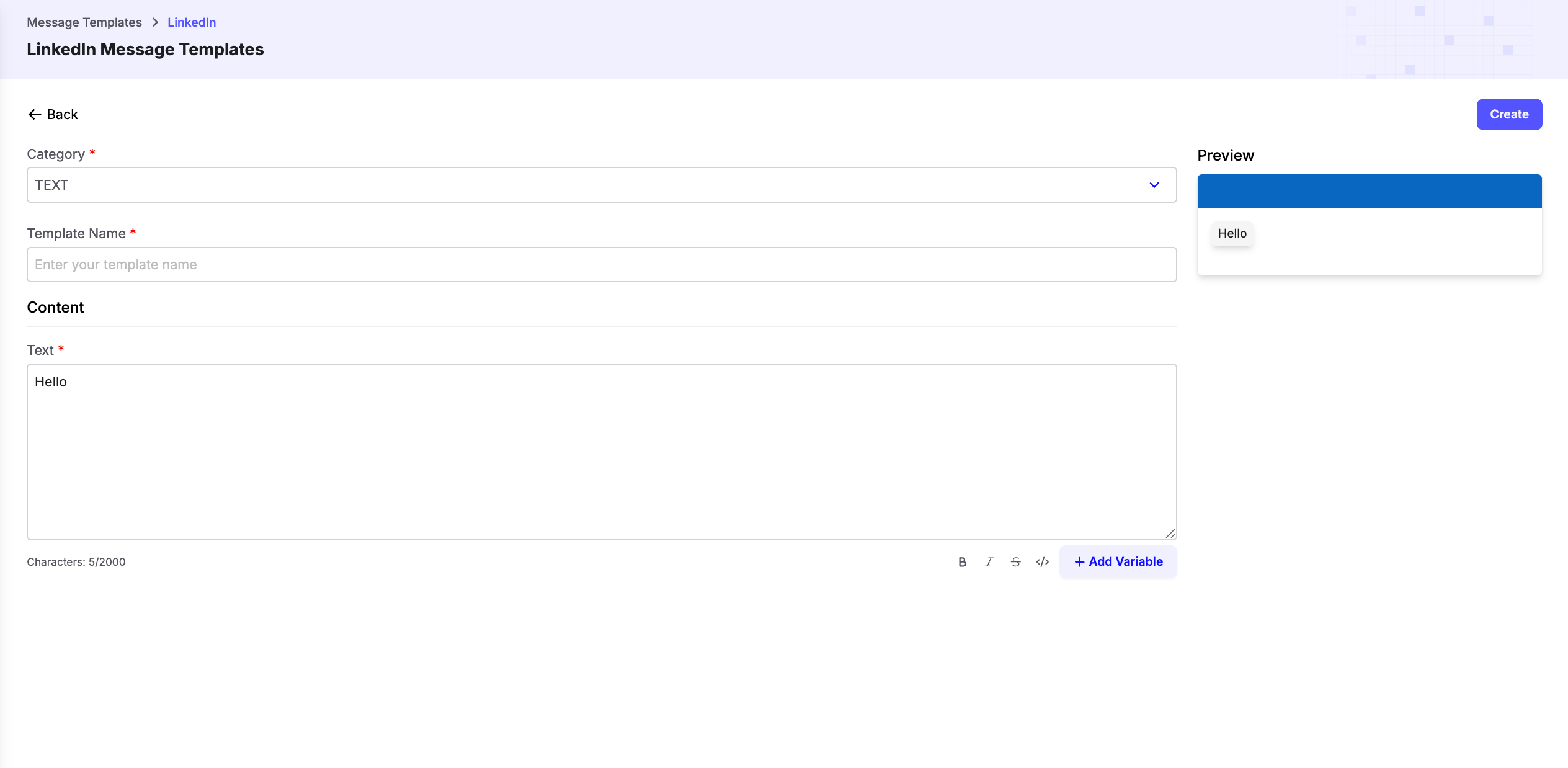
Template Category
LinkedIn currently supports a single template type:Text
Text templates let you create reusable LinkedIn messages that can be personalized using dynamic variables. When creating a template:- Select TEXT as the category.
- Enter a unique Template Name to identify the template.
- Write the message in the Text field.
- Use Add Variable to insert dynamic placeholders that are replaced with actual values when the template is sent.
- Review the live Preview before saving the template.
Dynamic Variables
Dynamic variables allow you to personalize each LinkedIn message automatically. For example:Hi {{first_name}}, I came across your profile and would love to connect with you.
At runtime, placeholders such as {{first_name}} are replaced with the corresponding values from your Journey or workflow.
Tip: Keep your LinkedIn templates short and conversational. Personalized messages generally achieve higher response and connection acceptance rates.