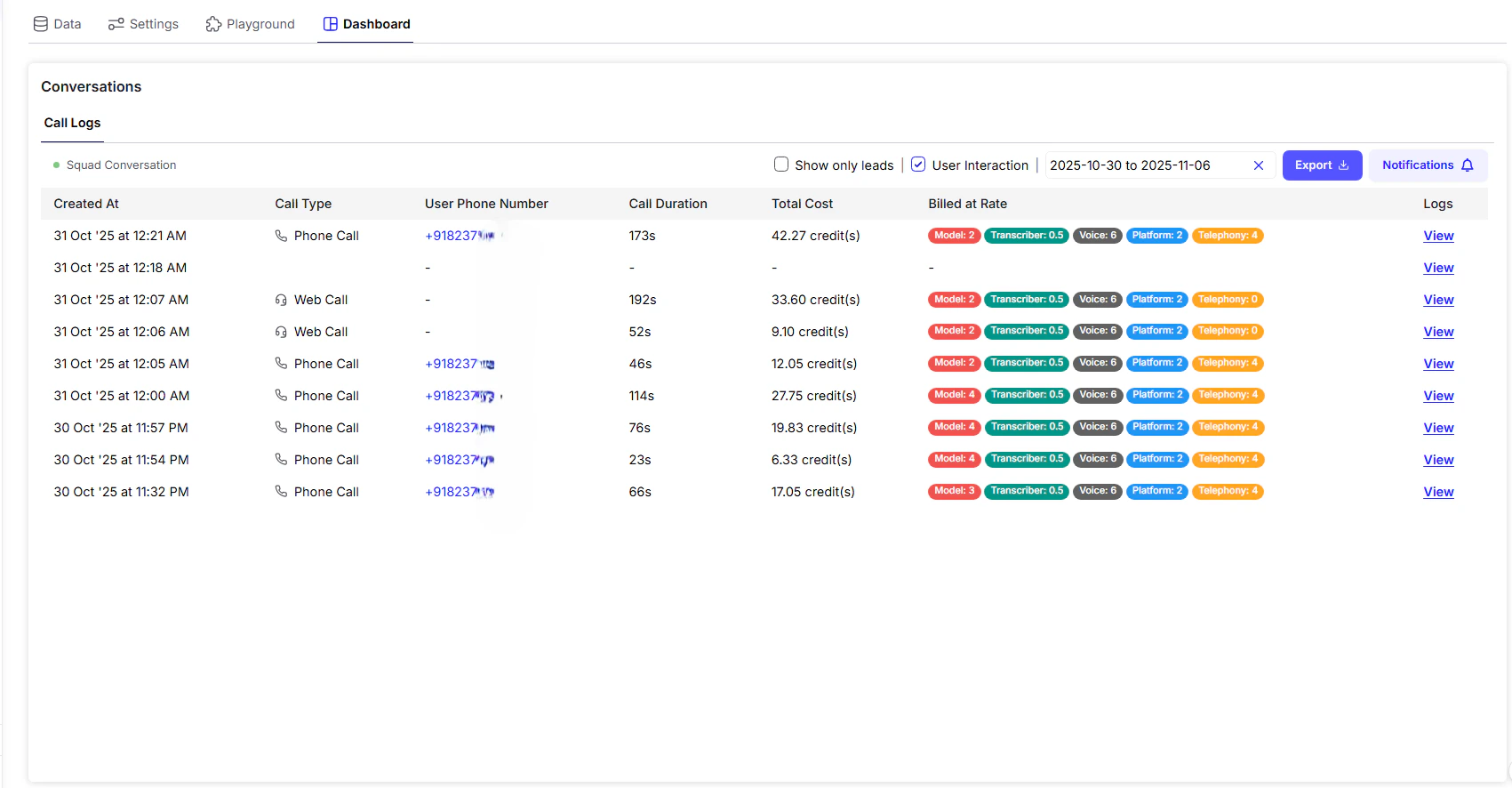
The Conversation Logs tab is your central place to review, audit, and analyze every voice interaction your agent has handled - whether from a live phone call or a browser-based test in the Playground. This helps you monitor call quality, track spending, and continuously improve your agent’s performance.
Playground Overview

Conversation Log Table Overview


Detailed Conversation Logs

Click the View button next to a conversation entry to open the full log view a pop-up with rich functionality for review and optimization.

Key Features in Log View:

  • Audio Recording
    Listen to the full call or click Download Recording to save it for QA analysis or agent training.
  • Transcript
    Read through the entire transcribed conversation, showing both user speech and agent responses in a clear timeline.
  • Revise Answer
    If the agent’s response was incorrect or inadequate, use Revise Answer to provide a better version. This feedback loop helps retrain the AI to improve future performance.
  • Download Conversation PDF
    Export the complete call (including transcript and metadata) as a PDF for auditing, client reporting, or internal records.

Tip: Use the combination of audio, transcript, and answer revision to continually fine-tune your agent and reduce unnecessary call handling or retry costs.