
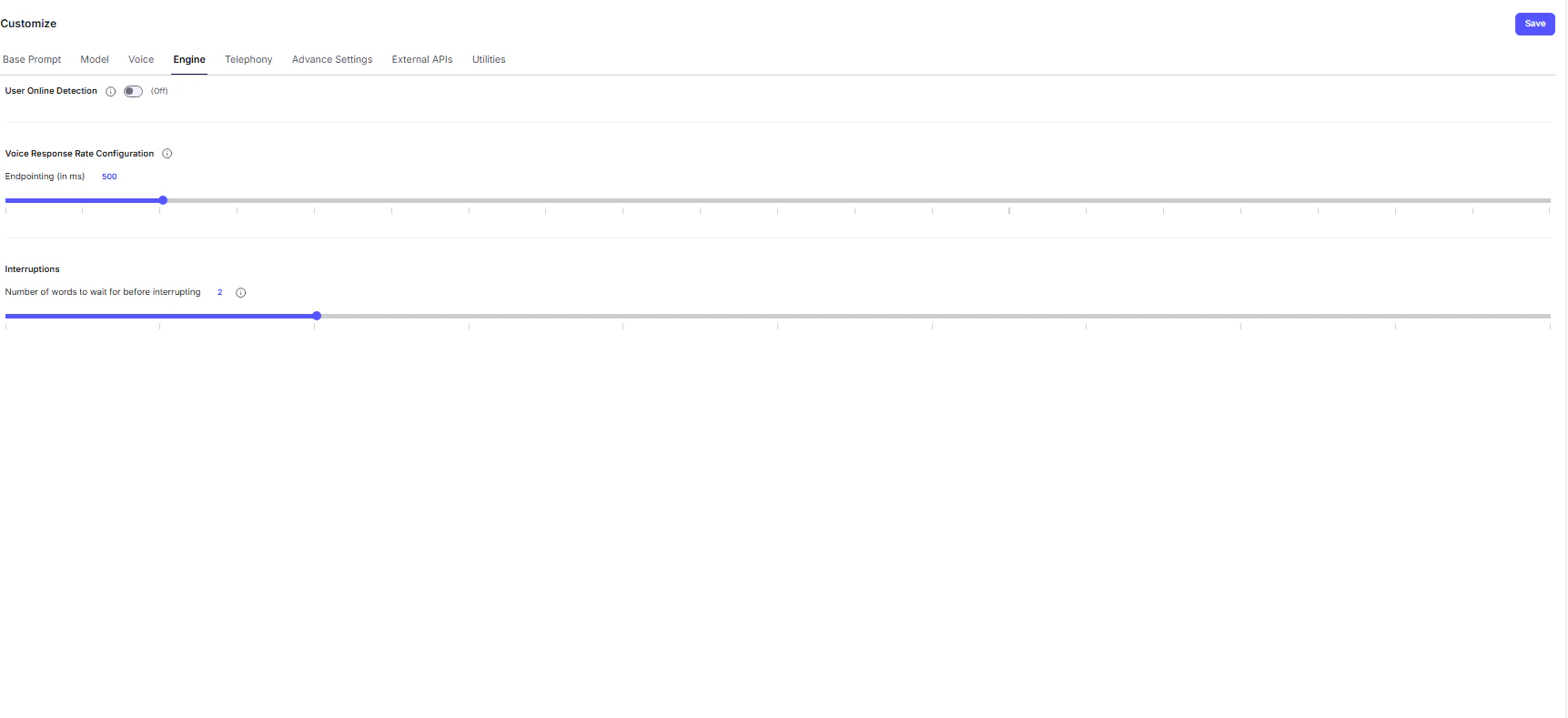
The Engine tab contains advanced configuration options that shape the responsiveness, fluidity, and overall performance of your Voice AI Agent. Adjusting these parameters helps create a more seamless and human-like voice experience.
Conversation Control
- User Online Detection — This toggle monitors user activity during a voice session.
If the system detects prolonged silence or inactivity, it will automatically send a ping message after a set duration to confirm whether the user is still active before gracefully ending the call.
Voice Response Rate Configuration
These controls fine-tune the latency (response delay) of your agent, directly impacting how natural the conversation feels.- Endpointing (in ms) - Defines the pause duration (in milliseconds) after the user stops speaking before the agent starts responding.
- Lower values → Faster replies, but risk cutting off the user mid-sentence.
- Higher values → Safer, more natural pacing, but slightly slower responses.
Tip: Experiment to balance responsiveness with natural turn-taking.
Interruptions
This section governs how the agent reacts when the user speaks while it’s still talking — a behavior known as barge-in.-
Number of Words to Wait Before Interrupting - Sets the tolerance threshold for interruptions.
The agent will ignore user speech until it has spoken this many words, ensuring the start of its message isn’t instantly cut off.Note: If the user says keywords like “Stop,” “Wait,” or “Hold on,” the agent automatically pauses, regardless of this setting.
💡 Best Practice:
Use moderate endpointing and interruption settings to maintain conversational flow - too aggressive can feel robotic, while too passive may cause delays.