
- Use Chatzy Email (default)
- Use Your Own SMTP Server (recommended for production)
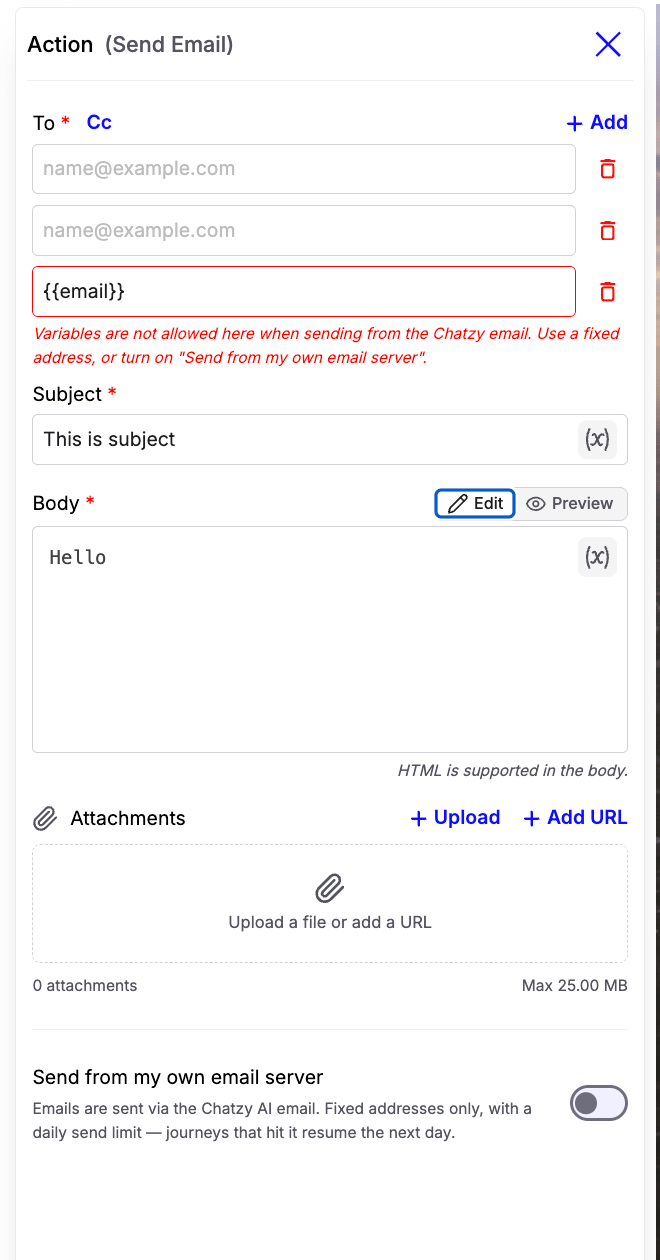
Using Chatzy Email
By default, emails are sent through Chatzy’s email service. This is the quickest way to start sending emails without configuring an email server.Recommended: Use Chatzy Email for sending notifications to your internal team, such as lead alerts, support notifications, escalation emails, or daily reports. Since recipient addresses must be fixed, it’s best suited for internal communication rather than customer-facing emails.
Limitations
- Recipient email addresses must be fixed values.
- Variables (such as
{{inbound_webhook.email}}) are not supported in the To or Cc fields. - A daily sending limit applies.
- Journeys that exceed the limit automatically resume the following day.
Note: If you need to send emails to customers or dynamic email addresses collected during a conversation, enable Send from my own email server.
Send from Your Own Email Server
Enable Send from my own email server to use your own SMTP provider.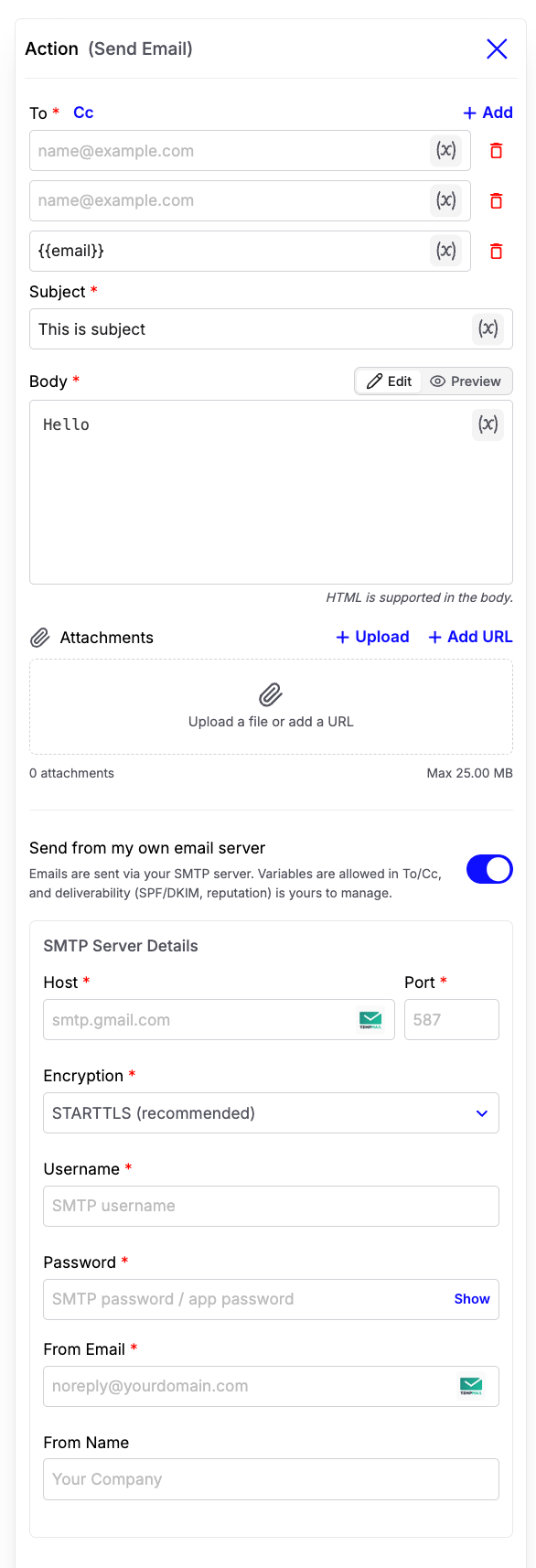
- Dynamic email addresses using variables
- Better deliverability
- Your own sender identity
- No Chatzy sending limits
- Full control over SPF, DKIM, and domain reputation
Gmail SMTP Setup
Configure Gmail SMTP
Configure Gmail SMTP
Step 1
Enable 2-Step Verification on your Google account. https://myaccount.google.com/securityStep 2
Generate an App Password from your Google Account. Head over to https://myaccount.google.com/u/1/apppasswords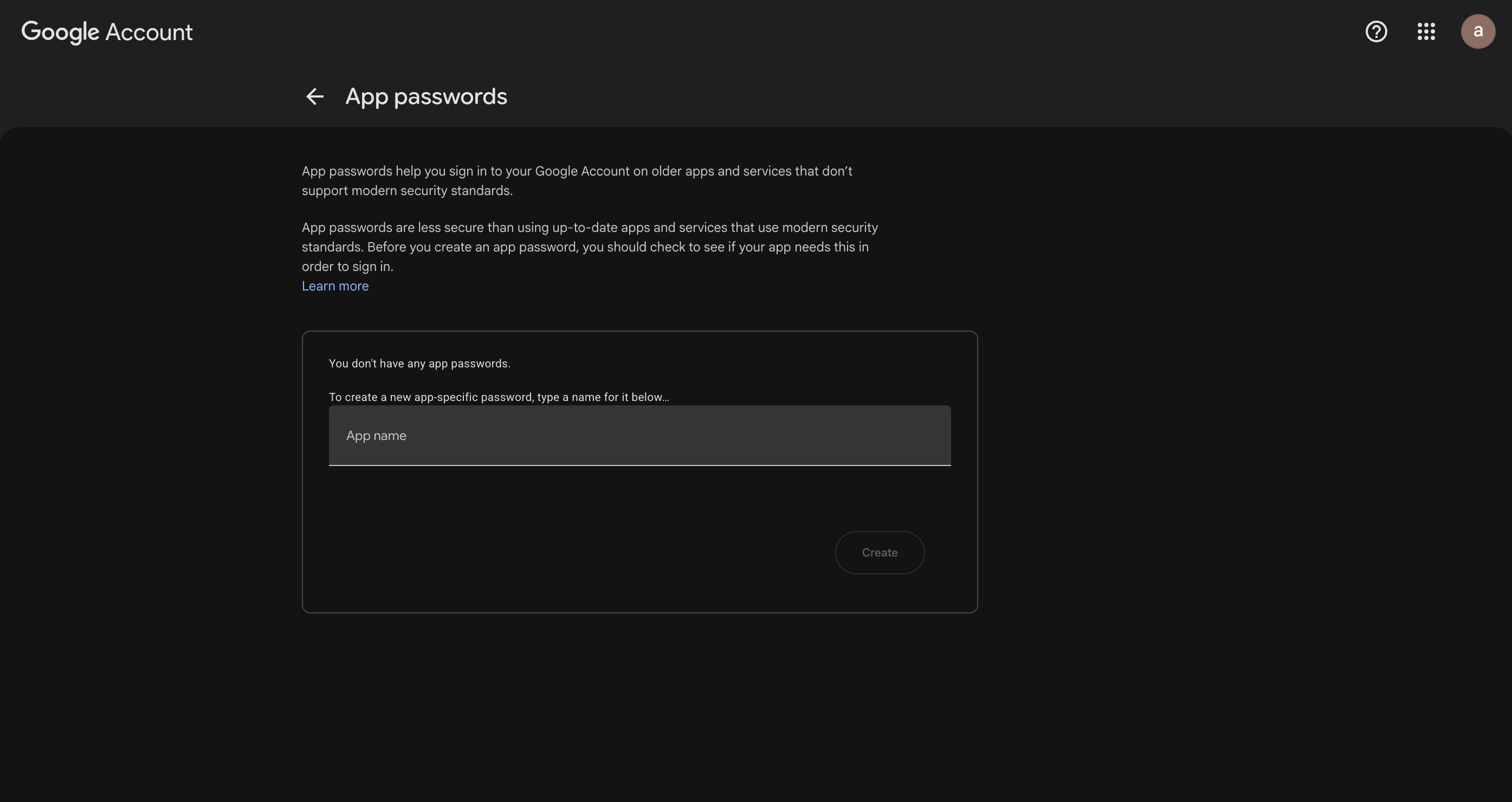
Step 3
Create an app-specific passwordStep 4
Copy the generated passwordStep 5
Configure the SMTP settings:Step 6
Save the configuration and test your Journey by sending an email.Note: Gmail no longer supports regular account passwords for SMTP. You must use an App Password after enabling 2-Step Verification.
Using Variables
When Send from my own email server is enabled, variables are supported in:- To
- Cc
- Subject
- Body
Attachments
The Send Email action supports:- Uploading files directly
- Adding attachments using URLs
Rich Email Support
The email body supports HTML formatting. You can create rich emails with:- Headings
- Images
- Links
- Tables
- Styled text