
The External APIs Tab
The External APIs tab lets you extend your chatbot’s abilities by connecting it to external services. With these integrations, your bot can go beyond its built-in knowledge — fetching real-time data, sending information, or interacting directly with your applications.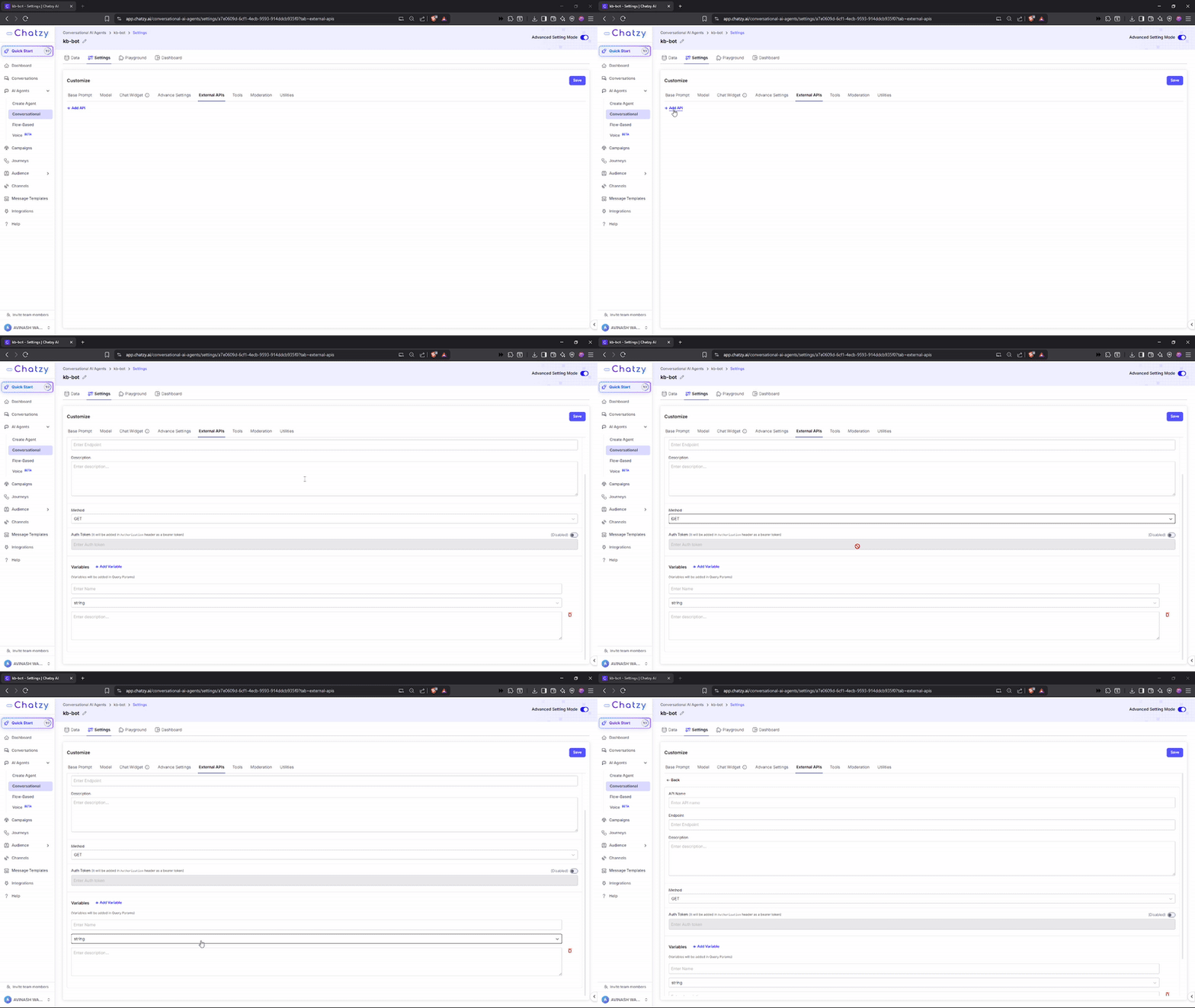
Key Settings
-
API Name
A simple label to identify the API connection. -
Endpoint
The specific URL (web address) where the chatbot sends requests. -
Description
A short explanation of what the API does and when the chatbot should use it.
(e.g., Weather API → fetches current weather conditions based on city input). -
Method
Defines how the chatbot communicates with the API:- GET → Retrieve information. Variables are added as Query Parameters at the end of the URL.
- POST → Send information. Variables are included in the request body as JSON.
-
Auth Token
A secure key that verifies your chatbot’s access rights to the API.- You do not need to add
Bearermanually — ChatzyAI adds it automatically. - This ensures secure and authorized API requests.
If your token isxyz123, ChatzyAI will send it as: - You do not need to add
-
Variables
Dynamic inputs for API calls. Their placement depends on the selectedMethod.- With GET → variables are passed as query parameters.
- With POST → variables are passed in the request body.
- Name → Identifier (e.g.,
city). - Type → Data type (e.g.,
string). - Description → Role of the variable.
- Example → Sample value showing usage.
- Endpoint →
https://api.example.com/weather - Variable →
city = Pune
Then the GET call will look like:
- Endpoint →
https://api.example.com/lead - Variables →
name = John,email = [email protected] - Auth Token →
xyz123
To call your API, you must include it as an instruction in the prompt with a clear use case.
Example: “Use theget_weather_by_cityfunction to fetch weather data.”